Need help?
Do you have a question about the TFA WIRELESS 433 MHz TEMPERATURE STATION and is the answer not in the manual?
Read the instruction manual carefully to familiarize yourself with the device and its functions.
Lists the items included in the product package, such as the main unit and manual.
Overview of the temperature station's capabilities and features.
Crucial safety warnings regarding battery handling and product usage to prevent injury.
Important guidelines on product safety, including avoiding extreme conditions and moisture.
Identifies and labels the parts of the main temperature station unit.
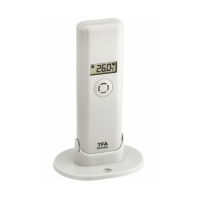
Identifies and labels the parts of the separate outdoor transmitter.
Step-by-step guides for installing and replacing batteries in both the station and transmitter.
Instructions for the initial setup and learning mode of the temperature station.
Explains how the station receives and displays time signals from the DCF-77 atomic clock.
Details the functions of the different keys on the temperature station.
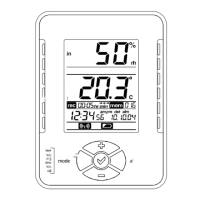
Explains the various elements and icons displayed on the LCD screen.
Adjusts the contrast level of the LCD screen for optimal readability.
Configures the time zone for accurate time display.
Enables or disables the daylight saving time feature.
Controls the automatic radio-controlled time reception function.
Selects the time display format between 12-hour and 24-hour.
Manually sets the hour and minute if radio reception is unavailable.
Manually sets the year, month, and day when radio signals are not received.
Selects the preferred unit for temperature display (°C or °F).
Configures the time intervals at which data is saved to memory.
Procedures for re-learning or removing outdoor transmitters from the system.
Decides how many outdoor transmitter data points are saved in the system memory.
How to switch between indoor and outdoor sensor readings on the display.
Accessing max/min temperatures, averages, dew point, and history data.
How to calibrate the displayed temperature and humidity readings for accuracy.
Setting high/low temperature and humidity alarms for specific conditions.
Clearing maximum and minimum temperature/humidity data for specific or all channels.
Clearing all stored temperature and humidity data from the temporary memory.
Procedure to reset the temperature station to factory default settings to resolve malfunctions.
Utilizing supplied software for data import and file printing.
Notes on the optional outdoor transmitter's range and battery life.
Troubleshooting steps for poor or no outdoor sensor signal reception.
Guidance on placing the main unit for optimal performance and viewing.
Instructions for mounting the outdoor transmitter and considerations for range.
Guidelines for cleaning and storing the instrument and transmitter.
Solutions for common problems like no reception, incorrect display, or battery issues.
Detailed technical specifications for the main temperature station unit.
Statement regarding compliance with relevant EU directives for wireless devices.
 General
| Brand | TFA |
|---|---|
| Model | WIRELESS 433 MHz TEMPERATURE STATION |
| Category | Temperature Controller |
| Language | English |

 To Next Page