Need help?
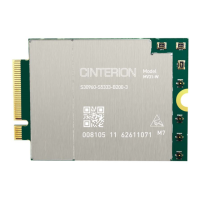
Do you have a question about the Thales Cinterion MV31-W sub6 USB and is the answer not in the manual?
Lists compatible Thales 5G Modem cards (sub6 USB and PCIe variants).
Lists associated technical documentation, such as the Hardware Interface Description.
Details connecting and configuring the 5G Modem Card using the USB interface.
Details connecting and configuring the 5G Modem Card using the PCIe interface.
Outlines the process for powering up and initializing the 5G Modem Card after connection.
Provides information about the 5G Modem Card Adapter Board.
Describes the physical layout and connectors of the 5G Modem Card Adapter Board.
Explains how to configure signals using resistors for different interfaces.
Details the different methods and jumper settings for powering the adapter board.
Provides recommended switch settings for various functions and interfaces.
Describes the signals available on the additional connectors J1025 and J1026.
 General
| Product Name | Thales Cinterion MV31-W sub6 USB |
|---|---|
| Category | Network Card |
| Form Factor | USB Dongle |
| Manufacturer | Thales |
| Model | MV31-W |
| Interface | USB 3.0 |
| Power Supply | USB powered |
| Region | Global |
| Network Compatibility | 5G, LTE, 3G |
| Cellular Technology | 5G |
| Interfaces | USB 3.0 |

 To Next Page