Need help?
Do you have a question about the Thales Liberty PRC7332 and is the answer not in the manual?
Discusses susceptibility of devices to EMI and potential interference from the transceiver.
Explains the classification and intended use of the radio for occupational environments.
States compliance with FCC Part 15 rules and conditions for operation.
Warns about operating the radio near ordnance due to EMI.
Provides precautions for handling and disposing of Li-ion batteries.
States that repairs must be done by authorized technicians to maintain warranty.
Provides overview of the Liberty™ Radio, its capabilities, and frequency bands.
Details the radio's modes of operation, channel spacing, interoperability, and programmable channels.
Lists key technical specifications like weight, dimensions, temperature, and power ratings.
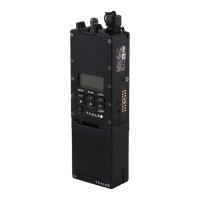
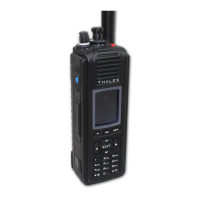
Identifies physical features and their locations on the radio unit.
Explains the function of various controls and indicators on the radio.
Introduces the chapter covering the radio's display and menu screens.
Discusses the radio's color QVGA LCD display and its regions.
Describes the initial screen displayed upon powering on the radio.
Details the first screen displayed after the radio completes its power-up sequence.
Explains navigation between menu screens using softkey options.
Allows the user to select banks, zones, channel lists, and talk groups.
Enables viewing parameter settings for selected channels or talkgroups.
Allows users to program parameter settings for selected channels.
Displays radio information like serial numbers and software version.
Shows maintenance-related information like date, time, and test status.
Introduces the chapter on operating procedures for the radio.
Instructions for properly connecting the battery to the radio.
Instructions for attaching the antenna to the radio connector.
Guides users on initial radio programming via PC Programmer.
Explains how to power on the radio and its boot-up sequence.
Details how to navigate and access menus using softkeys and navigation buttons.
Provides instructions for transmitting audio via the PTT button and microphone.
Explains how the radio receives audio and indicates signal status.
Guides on making direct calls to other units using their Unit IDs.
Explains how to enable and use scanning features for channels.
Describes how to use pre-programmed side buttons for various functions.
Instructions on how to edit entries within menu screens.
Explains how to select different zones for radio operation.
Details the radio's screensaver function to conserve battery life.
Introduces operator maintenance instructions for the radio.
Outlines the three types of Built-In-Test (BIT) for radio checkout.
Covers inspection, cleaning, and external battery maintenance procedures.
Provides a guide for operators to resolve common equipment failures.
Details procedures for operators to remove and replace accessories.
Instructions for safely removing and replacing the radio's battery.
States that radio disassembly is not authorized for operators.
Introduces the chapter on battery chargers for the Liberty™ Radio.
Details the weight, dimensions, and temperature specifications of the chargers.
Lists the electrical specifications for the single unit charger.
Describes battery charge time and communication with the battery.
Explains the meaning of LED indicators on the single-bay charger.
Introduces various accessories and ancillary equipment for the Liberty™ Radio.
Details the antenna supplied with the Liberty™ Radio.
Lists available battery options for the Liberty™ Radio.
Lists various battery charger options for the Liberty™ Radio.
Lists available cases and holsters for the radio.
Lists available audio accessories such as headsets and microphones.
Lists available cables for programming, audio, and cloning.
Lists available surveillance equipment like security harnesses.
Lists acronyms and their definitions relevant to the Liberty™ Radio.
Provides definitions for terms used in the manual.
Provides initial setup steps for the Liberty™ Radio.
Identifies and explains the radio's physical controls, indicators, and keypad layout.
Describes how to access and view radio information on the display.
Explains the procedures for transmitting and receiving audio signals with the radio.
Details the functions and programming of the radio's side buttons.
 General
| IP Rating | IP67 |
|---|---|
| Type | Tactical Radio |
| Frequency Range | 30 MHz to 512 MHz |
| Encryption | AES |
| Modulation | FM |

 To Next Page