
 Need help?
Do you have a question about the Thales ProtectServer 3 HSM and is the answer not in the manual?
Lists components that should have been received with the ProtectServer 3 PCIe order.
Lists optional items that can be used with the ProtectServer 3 HSM.
Outlines the general steps to install and commission a ProtectServer 3 PCIe card.
Details how to connect the chassis intrusion connector to the tamper header on the card.
Explains how to install the USB smart card reader into the HSM's USB port.
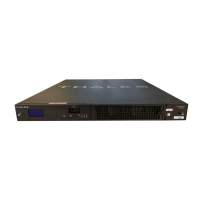
Describes the ProtectServer 3 External as a self-contained, security-hardened server.
Lists the components that should have been received with the ProtectServer 3 External order.
Provides instructions for installing the ProtectServer 3 External hardware in a suitable location.
Outlines best practices for security and compliance when deploying the ProtectServer 3 External.
Guides users through the initial login and system test procedures for the appliance.
Explains how to configure the ProtectServer 3 External for network access and initial configuration.
Details the procedure to safely power off the ProtectServer 3 External appliance using PSESH.
Describes the ProtectServer 3+ External as a self-contained, security-hardened server.
Lists the items required for the installation of the ProtectServer 3+ External appliance.
Provides instructions for mounting the ProtectServer 3+ External in a standard 19-inch server rack.
Describes the physical characteristics of the appliance, including rack fit.
Covers power supply conditions, LEDs, and fan maintenance procedures.
Outlines best practices for security and compliance when deploying ProtectServer 3+ External.
Guides users through the initial login and system test procedures for the appliance.
Explains how to configure the ProtectServer 3+ External for network access and initial configuration.
Details the procedure to safely power off the ProtectServer 3+ External appliance using PSESH.
Lists the prerequisites for installing Protect Toolkit 7, including Java and .NET versions.
Describes the three operating modes for ProtectToolkit-C: PCI, Network, and Software Emulator.
Provides instructions for installing ProtectToolkit 7 on a Windows client machine using the installer.
Explains how to install Protect Toolkit client components on a Linux client using the installation utility.
Provides command reference details for the Linux Installation Utility and hardware maintenance utilities.
Utility to display the current status of the HSM(s) found in the system.
Utility to clear the HSM of outstanding requests and prepare it for normal operation.
Explains that configuration items are created on the host system and changes are made by editing values.
Details the procedure for configuring client/PCIe HSM host systems, differing for Windows and Linux.
Explains how to edit server configuration settings on the ProtectServer 3 External via PSESH.
Lists available client configuration items for Network mode and their default values.
Lists the modifiable configuration items for PCI mode.
Lists available server configuration items for Network mode and their default values.
Details how to customize ProtectToolkit-C SDK installation for performance.
Explains how to configure the client to use a different host as its server.
 General
| Category | Hardware Security Module (HSM) |
|---|---|
| Model | ProtectServer 3 HSM |
| Form Factor | PCIe card or Network-attached appliance |
| Compliance | FIPS 140-2 Level 3, Common Criteria EAL4+ |
| Operating Systems Supported | Windows, Linux, Solaris, AIX, HP-UX |
| Cryptographic Algorithms | RSA, AES, SHA, HMAC, ECC |
| Network Interface | Ethernet |
| Host Interface | PCIe |
| Power Supply | Internal (PCIe) or external power adapter (appliance) |
| Operating Temperature | 0°C to 40°C (32°F to 104°F) |
| Cryptographic Performance | Up to 20, 000 RSA operations per second |
| Power Consumption | Varies by model |

 To Next Page
