THD UNIVALVE INSTRUCTION MANUAL 5
Back Panel
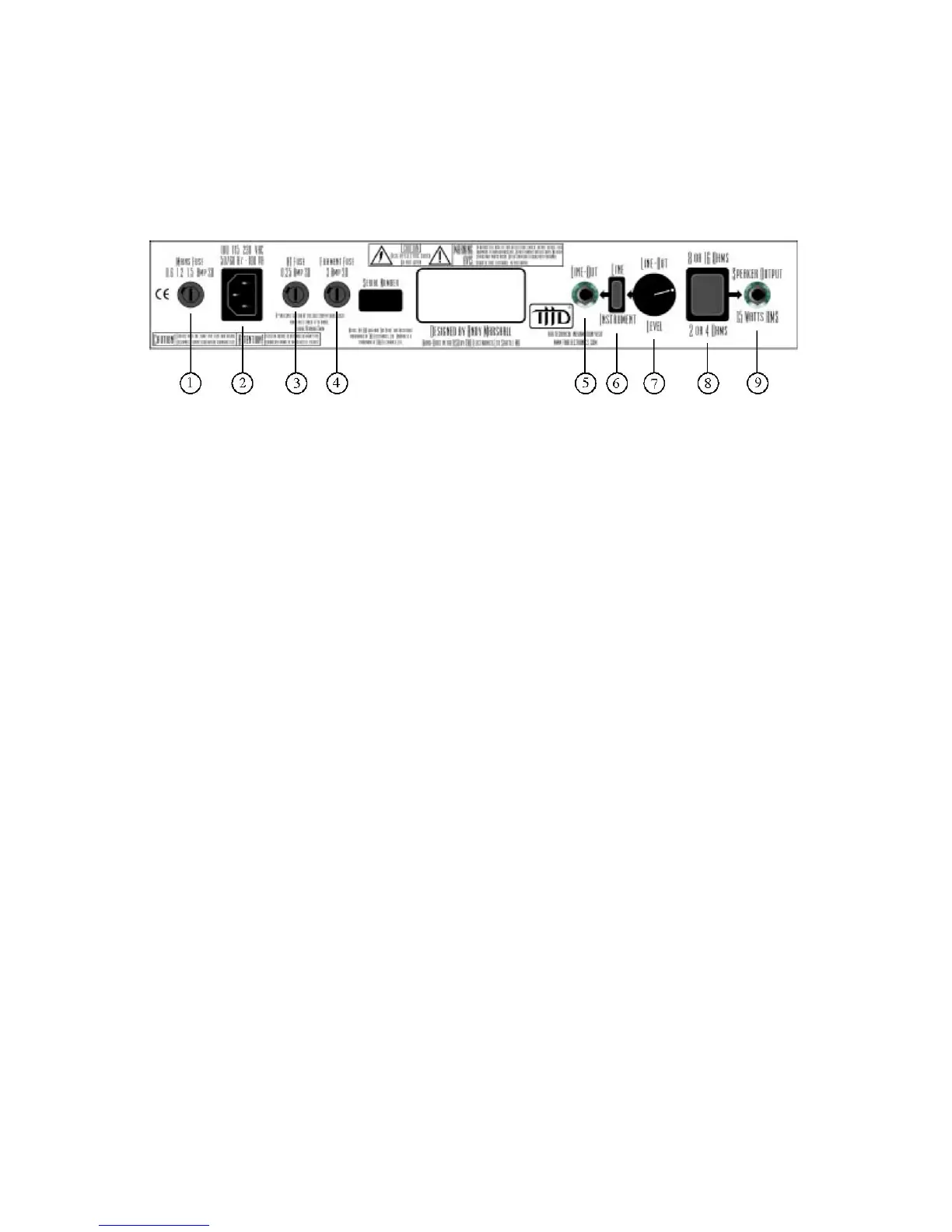
Now lets go through the UniValve’s back panel jacks and controls:
1. Mains Fuse: The mains fuse protects the amplifier from damage caused by power tube
failure. If it blows, it must be replaced with a fuse of the same type and rating.
2. IEC Power Cable jack: Use a standard universal VAC power cable with your
UniValve.
3. HT Fuse: The high-tension fuse is for the high voltage supply that feeds the plates of
the tubes. Disconnect the power cord before replacing this fuse. Replace it only with a
fuse of the same type and rating.
4. Filament Fuse: This fuse is for the low voltage supply that drives the filament or
heater supply for the tubes. Disconnect the power cord before replacing. Replace only
with a fuse of the same type and rating.
5. Line Out Jack: The UniValve offers a transformer-isolated line out. This output jack
delivers a line level signal from the power amp. Use a 1/4” instrument (not speaker)
cable with this output. You can use this output to slave to send the UniValve’s signal to
another amp (effectively using the UniValve as a preamp). You can also to send the
signal directly from the line out to a mixing console or recording system. Keep in mind
that you will need a speaker simulator in between the line out and your recording
equipment if you want to record the UniValve from the line out.
6. LINE/INSTRUMENT Switch: This switch determines if the line out signal will be at
the line-level (+4 dB) or instrument-level (-10 dB) signal range.
7. Line Out Level: This control adjusts the output level of the Line Out jack.



 To Next Page