
 Need help?
Do you have a question about the The China Office T8100 and is the answer not in the manual?
Covers precautions for hearing damage, electrical shock, liquid exposure, and cleaning hazards.
Details about the rechargeable Lithium-Polymer battery and charging guidelines.
Key safety precautions for device usage, temperature, and children's access.
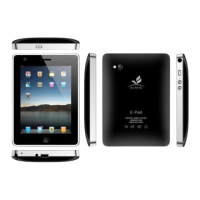
Lists detailed hardware and software specifications of the tablet.
How to turn the device on, restart, or shut down using the power button.
Explains how to access the internet using Wi-Fi.
Covers Wi-Fi connection, Hotspot, VPN, and Airplane mode settings.
Details Bluetooth settings for pairing and file transfer.
Instructions for printing and managing device storage.
Managing notification settings and app alerts.
Options for viewing battery level and customizing display.
Adjusting volume, notifications, and alarm sounds.
Managing privacy, location services, and screen lock.
Adding accounts, accessibility, parental controls, and Google account.
Language and input method settings.
Introduction to pre-installed applications like Assistant Go, Calculator, and Calendar.
Using the camera and managing photos/videos.
Details on Chrome, Clock, Contacts, Files, Gmail, and Google Go.
Information on Maps Go, Play Music, Play Store, Sound Recorder, Videos, and YouTube Go.
Guidelines for the proper disposal of the device and its accessories in the EU.
Information on battery disposal, replacement, and content disclaimers.
 General
| Brand | The China Office |
|---|---|
| Model | T8100 |
| Category | Tablet |
| Language | English |

 To Next Page
