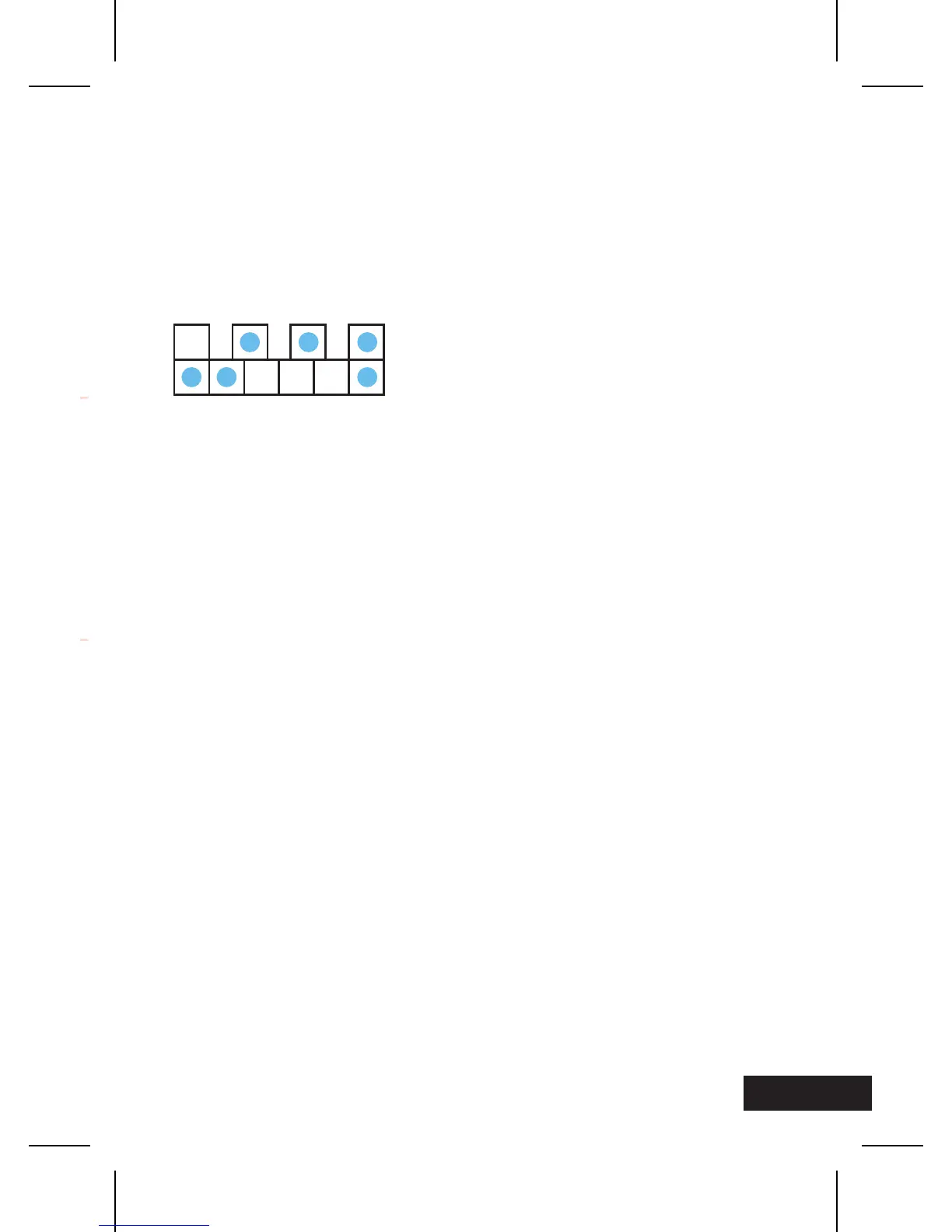
7
Hours:
2
nd
LED + 3
rd
LED + 4
th
LED (from left) = 4 + 2 + 1 = 7
Minutes:
1
st
LED + 2
nd
LED + 6
th
LED (from left) = 32 + 16 + 1 = 49
It’s 7:49
FEATURES
– Two-row LED display
– Upper row shows the hours (8, 4, 2, 1)
– Lower row shows the minutes (32, 16, 8, 4, 2, 1)
SETTING THE TIME
Hold key B for 5 seconds until the hour LEDs start blinking.
Press key A to advance to your desired setting; press key B
to confirm shift to minute setting. Press key A to advance to
your desired setting; press key B to confirm and set.
8 4 2 1
32 16 2 148


 To Next Page