6
How to Use the Device (°C unit) –
continued
9. Press the time “ “ button until “beep” sound means the setting
has been locked (press 3 seconds). (P.5).
10. Press the temp “ “ button to select °C or °F.
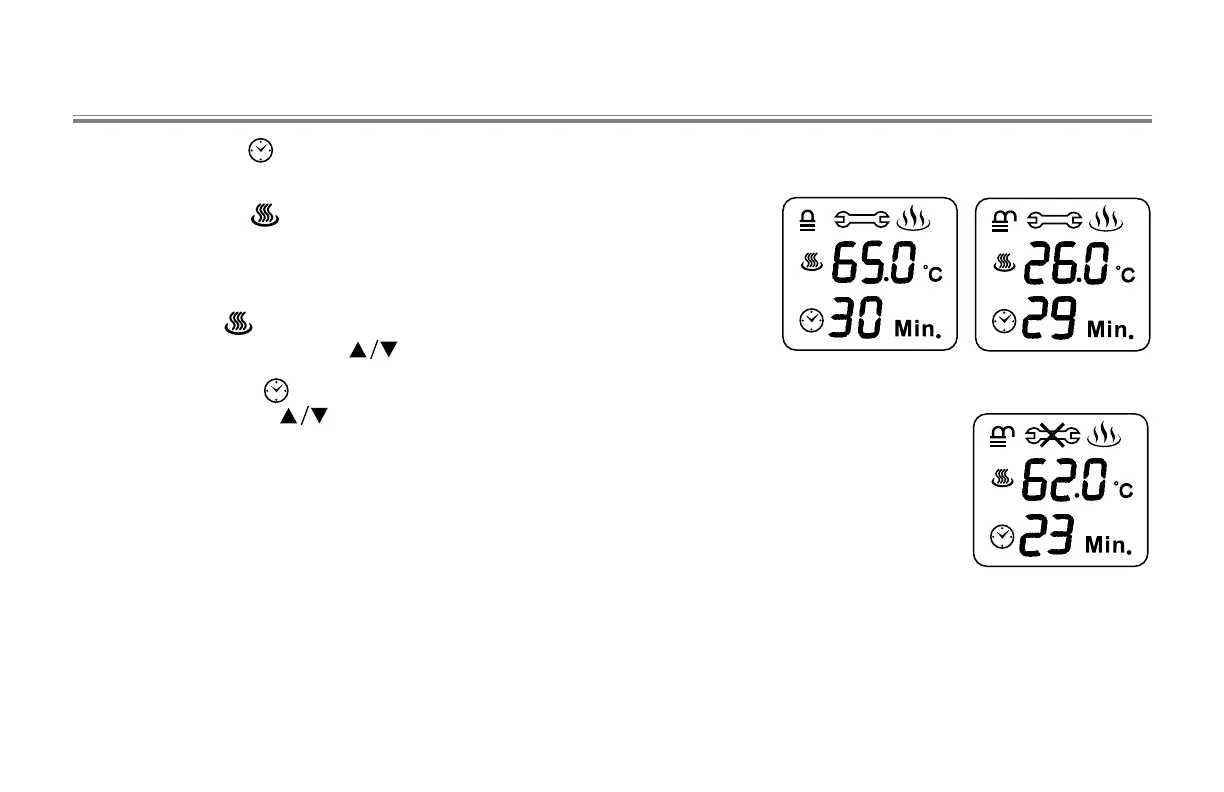
11. When finish the setting and after 5 seconds the LCD will display real-
time of temperature and time. (P.6).
12. When press “ “ button the temperature figure will be flashing,
you can set the number by “ “ buttons.
13. When you press “ “ button the time figure will be flashing, you
set the number by “ “ buttons.
14. After treatment completed, press the “ON/OFF” button to switch
power OFF. (It will be turned off automatically when the time is up).
· After you have finished your treatment, unplug from the outlet.
· For normal treatment, 15 minutes on a cycle is sufficient. We
recommend a total treatment duration of about 30 minutes.
NOTE: If malfunction signal is displayed, stop use. (P.7). A symbol
will be displayed on the LCD, then the buzzer will alarm continually
for 5 seconds, and heat output will automatically shut off.
Lock
P. 5
Real-time
P. 6
Malfunction
P. 7



 To Next Page