
 Need help?
Do you have a question about the Thermador Bottom Freezer and is the answer not in the manual?
Essential safety precautions to follow when using the appliance, including warnings and guidelines.
Warning regarding the risk of child entrapment in discarded refrigeration products and instructions to prevent accidents.
Details on the required UL-listed 3-wire power supply cord and 3-wire receptacle for safe electrical connection.
Guidelines for proper grounding to reduce electric shock risk, including what to avoid and local regulation considerations.
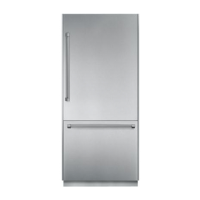
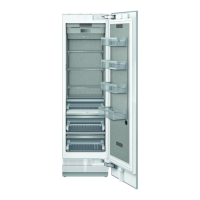
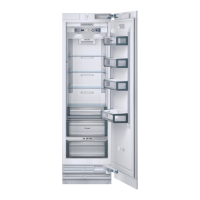
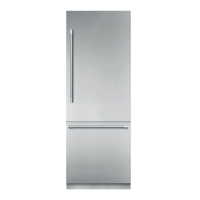
Diagram and list of components for the 2-door model refrigerator and freezer compartments.
Identification of parts within the refrigerator compartment, including control panel, shelves, and door bins.
Identification of parts within the freezer compartment, including ice maker, ice cube container, and drawers.
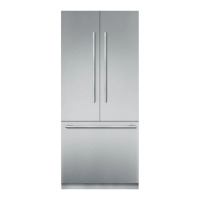
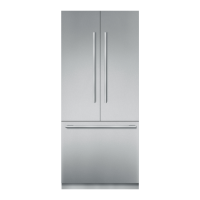
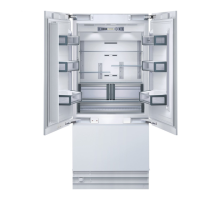
Diagram and list of components for the 3-door (French door) model refrigerator and freezer compartments.
Identification of parts within the 3-door model's refrigerator compartment, including shelves and containers.
Identification of parts within the 3-door model's freezer compartment, including ice maker and drawers.
Guidelines for selecting an appropriate installation room, considering temperature, ventilation, and heat sources.
Requirements for the installation cavity, emphasizing squareness and proper dimensions for a trouble-free installation.
Instructions for securely mounting the appliance to adjacent furniture and fixtures for stability.
Details on the base requirements, ensuring it is flat, level, and made of rigid material for proper appliance function.
Instructions for connecting the appliance to the power supply, including grounding and avoiding adapters or extension cords.
Requirements for connecting the water supply for the automatic ice maker, including pressure and shut-off valve guidelines.
Procedure for switching on the appliance, including initial cooling and discarding first ice cubes.
Steps for switching off and safely disconnecting the appliance for prolonged periods or storage.
How the door alarm functions, including activation, deactivation, and re-sounding if the door remains open.
Specific operational notes for the 3-door French door model, including door opening sequence and folding rail.
Guidance on adjusting shelves and containers within the refrigerator and freezer compartments for customizable storage.
Instructions on adjusting the height of the motorized Liberty Shelf, including load limits and removal.
Instructions for removing and reinserting freezer drawers, including turning locks on pullouts.
Guidance on lifting, removing, and inserting containers in the door storage compartments.
Description of all buttons on the control panel, including their functions like POWER, ICE, ALARM, COOL, FREEZER, SETUP, and VACATION.
Explanation of the display indicators, showing set temperatures and activated special functions like SUPER mode.
Explanation of symbols displayed on the control panel, relating to refrigerator/freezer compartments, Super function, and modes.
Step-by-step instructions for adjusting the temperature settings for both the refrigerator and freezer compartments.
Explanation of the Super function for rapid cooling, its activation, automatic switch-off, and when it ends.
How to use the Super function for freezing large quantities of food quickly, including recommended pre-cooling times.
Instructions for activating, navigating menus, and ending setup mode to adjust appliance functions.
How to switch between Fahrenheit (°F) and Celsius (°C) temperature units in setup mode.
Instructions for changing the display language from English to French in setup mode.
How to activate the Energy-saving mode for reduced power consumption and display brightness.
How to activate Vacation mode for energy saving while away, and its effects on appliance functions.
Instructions for activating Sabbath mode and its impact on appliance functions like display and signals.
Guidelines for arranging food on shelves, in containers, and in the door for optimal refrigeration.
Guidelines for storing frozen produce, purchasing criteria, and immediate home storage after purchase.
Instructions for freezing fresh food at home, emphasizing airtight containers and quick freezing for flavor preservation.
Methods and materials for properly wrapping and sealing food to maintain freshness during freezing.
Various methods for thawing frozen food, including at room temperature, in the refrigerator, or using an oven or microwave.
Explanation of how the ice maker produces ice cubes, including automatic shut-off when the container is full.
Instructions for switching the ice maker on and off, including water supply considerations.
Causes of unusual odors in ice cubes and recommendations for prevention, including cleaning and proper food storage.
Description of common noises produced by the refrigerating unit, fans, refrigerant flow, and ice production.
Guidance on addressing noises caused by an unlevel appliance or loose components like drawers and baskets.
Advice on placing the appliance in a dry, ventilated room away from direct sunlight and heat sources for energy efficiency.
Tips for cooling warm food before storage and defrosting frozen items in the refrigerator to save energy.
Step-by-step instructions for cleaning the appliance interior and exterior, including safety precautions and recommended cleaning agents.
Specific instructions for cleaning the door seal using only water and drying it thoroughly.
How to clean the ventilation openings on the base panel to ensure proper airflow and appliance function.
Procedure to follow if the appliance emits unpleasant odors, including emptying, cleaning, and repacking food.
Methods to prevent odors, such as storing strong-smelling foods in airtight containers and thorough cleaning.
Indication of a door alarm message, its cause (door open too long), and remedial action (close door).
How temperature alarms are indicated, their causes (power failure, large food load), and actions to take.
Information on sensor fault messages, potential technical defects, and the recommendation to conduct an appliance self-test.
Explanation of low voltage warnings, their cause (mains voltage drop), and remedial actions.
Steps to perform an appliance self-test to diagnose potential faults, including switching off and on before testing.
How to interpret self-test results, including recognizing error messages and contacting customer service if faults are detected.
Instructions for resetting the appliance to factory default settings, typically after a change of owner.
Details on what happens when factory settings are reset, including appliance switch-on and function resets.
How to interpret the display when the water filter needs changing and how to purchase a replacement.
Step-by-step guide for removing the old water filter cartridge and installing a new one.
Instructions on how to deactivate the filter display, allowing use without a filter or with a substitute cartridge.
Procedure for resetting the filter display after a filter change to ensure correct notification for future replacements.
Diagnosing and resolving common appliance issues such as no cooling, light malfunction, or odors.
Identifying and resolving issues with the ice maker, including not running, producing small cubes, or having unpleasant odors.
Troubleshooting steps for when the ice maker is not producing any ice, covering container position, water pressure, and temperature.
Diagnosing causes for insufficient ice production or misshapen ice cubes, including water pressure and filter checks.
Resolving problems with water flowing out of the appliance or ice forming in the supply hose, related to water pressure and valve installation.
Instructions for safely replacing halogen bulbs located above and at the side of the refrigerator compartment.
Important safety warnings and precautions to follow when changing light bulbs, including disconnecting power and avoiding touching bulbs.
Steps for opening the filter holder, removing the used odor filter, and inserting a new one.
How to contact Thermador Customer Interaction Center for assistance and service, including phone numbers.
Details to record before calling for service, such as dealer name, model number, and serial number.
Details of the two-year full warranty covering replacement parts and labor for defects in materials or workmanship.
Coverage for the sealed refrigeration system parts for the third through sixth and seventh through twelfth years.
List of services and damages not covered by the warranty, such as installation, misuse, or unauthorized modifications.
 General
| Brand | Thermador |
|---|---|
| Model | Bottom Freezer |
| Category | Refrigerator |
| Language | English |


 To Next Page