
 Need help?
Do you have a question about the Thermador T23IR900SP and is the answer not in the manual?
Warning regarding storage of flammable propellants and high-proof alcohol.
Precautions for installation, servicing, and cleaning to prevent electrical hazards.
Hazards from carbonated drinks and advice on safe handling.
Measures to prevent children and vulnerable individuals from accessing the appliance.
Guidelines to prevent physical damage to the appliance during use and handling.
Notification about chemicals known to cause cancer or reproductive harm.
Instructions for connecting the appliance to a power outlet and safety precautions.
Overview of the appliance's control panel and interface elements.
Details on removing and adjusting storage compartments and shelves.
Instructions for removing and inserting the produce bin and its inner container.
Procedure for powering the appliance on and off and disconnecting it.
How to change the display language settings on the appliance.
Guide to selecting between Celsius (°C) and Fahrenheit (°F) temperature units.
Instructions for adjusting refrigerator and chill compartment temperatures.
How to activate and deactivate the super cooling function for rapid chilling.
Enabling the clean lock feature to prevent accidental control input during cleaning.
Activating energy-saving operation mode for the appliance.
Initiating a self-test program for fault analysis.
Adjusting the brightness level of the appliance's control panel display.
Enabling or disabling the audible feedback for control panel key presses.
Adjusting the volume level for key press sounds.
Adjusting the volume for alarm and signal tones.
Configuring the push-to-open or pull-to-open system for appliance doors.
Activating theater mode for gradual light changes when opening/closing the door.
Restoring the appliance to its original factory default settings.
Switching the appliance to demonstration mode, disabling cooling function.
Activating Sabbath mode to disable certain functions for religious observance.
Instructions for safely cleaning the appliance's control panel display.
Procedure for cleaning the inside of the refrigerator compartment and its components.
Guidance on cleaning removable interior fittings and parts.
Steps for replacing the odor filter to eliminate unpleasant smells.
Explanation of typical operating sounds like droning, bubbling, and clicking.
Tips for reducing or eliminating operational noises caused by leveling or loose parts.
Troubleshooting common appliance issues like temperature variations and display errors.
Resolving issues related to the appliance operating in demo mode.
Action to take when the display indicates an electronics fault (E....).
Running a self-test program to diagnose appliance faults.
Contact information for ordering repairs and seeking advice on appliance faults.
 General
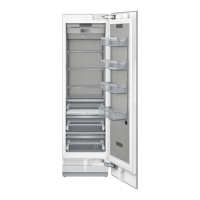
| Type | built-in |
|---|---|
| Style | no freezer |
| Color | stainless steel |
| Total Capacity | 13 cubic feet |
| Refrigerator Capacity | 13 cubic feet |
| Humidity Controlled Crispers | yes |
| Defrost System | automatic |
| Temperature Control | led display with touchscreen controls |
| Interior Light | led |
| Dispenser | none |
| Ice Maker | no |
| Water Filter | no |
| Door Alarm | yes |
| Smart Home | no |
| Annual Energy Consumption | 281 kilowatt hours |
| Voltage | 120 volts |
| Current | 15 amperes |
 Weight and Dimensions
| Depth | 24 1/50 inches |
|---|---|
| Height | 83 3/4 inches |
| Width | 23 1/2 inches |
| Net Weight | 319.7 pounds |





 To Next Page
