
 Need help?
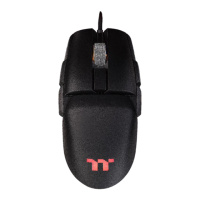
Do you have a question about the Thermaltake ARGENT M5 RGB and is the answer not in the manual?
Detailed instructions for installing the TT iTAKE software on your computer.
How to switch mouse models and manage up to 6 profiles with various functions.
Covers assigning key functions, correcting profile names, IP address control, and other settings.
Assigning the default function to a mouse button.
Assigning a specific keyboard key to a mouse button.
Assigning recorded macros to mouse buttons.
Assigning multimedia playback controls to mouse buttons.
Assigning system shortcuts or common hotkeys to mouse buttons.
Assigning mouse buttons to launch applications.
Assigning mouse buttons to open specific websites.
Assigning mouse buttons to activate game-specific profiles.
Assigning standard mouse actions (like clicks, scroll) to buttons.
Disabling a mouse button's functionality.
Creating, deleting, copying, importing, and exporting macros.
Configuring macro recording, including delay times and recording area.
Steps to record a new macro, set delay, and name it.
Inserting new commands or delays into an existing macro.
Recording and saving custom text strings for macro usage.
Introduces supported lighting effects and configuration options.
Adjusting colors, patterns, applying, and restoring lighting settings.
Configuring static lighting effects and color zones.
Configuring pulse lighting effects, speed, and color.
Configuring blink lighting effects, speed, and color.
Configuring wave lighting, direction, speed, and color patterns.
Configuring the spectrum cycling lighting effect.
Configuring raindrop lighting effects, speed, and color.
Configuring snake lighting effects, direction, speed, and color.
Configuring music-reactive lighting effects.
Configuring lighting effects based on system temperature.
Adjusting mouse sensitivity stages, DPI, and X-Y sensitivity.
Configuring polling rate and button response for performance.
Managing language, theme, Razer Chroma, and software version.
Setting up Amazon Alexa, app password, and accessing website/social media.
Step-by-step instructions for downloading the TT iTAKE app.
Steps to connect the TT iTAKE app to the mouse software via Bluetooth or IP.
How to control lighting effects like Pulse and Wave via the mobile app.
Managing macros (importing, deleting) through the mobile app.
Configuring and using voice commands for mouse control.
A comprehensive list of voice commands for controlling lighting modes, colors, speed, and brightness.
 General
| Brand | Thermaltake |
|---|---|
| Model | ARGENT M5 RGB |
| Category | Mouse |
| Language | English |

 To Next Page