Need help?
Do you have a question about the Thermaltake DH 101 VF7000 Series and is the answer not in the manual?
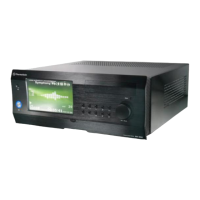
Detailed specifications for VF7000BNS and VF7001BNS models.
Step-by-step guide to access the internal components of the PC case.
Instructions for correctly installing the Power Supply Unit into the chassis.
Procedures for installing a 5.25-inch drive, such as an optical drive, into the case.
Steps for installing Hard Disk Drives into the designated drive bays.
Guide on using the tool-free mechanism for installing PCI expansion cards.
Instructions for mounting the motherboard, including placement and screw hole details.
How to connect front panel LEDs and switches (power, HDD) to the motherboard.
Connecting front panel USB 2.0 and IEEE1394 Firewire ports to the motherboard.
Guide for connecting front panel audio jacks (microphone, headphone) to the motherboard.
Instructions for connecting the chassis intrusion switch for an alarm function.
Explanation of functions for the Media LAB hotkeys module on the front panel.
Detailed breakdown of the IR remote control buttons and their functions.
Lists the components included in the Media LAB kit.
Step-by-step instructions for installing the Media LAB hardware and software.
Overview of various media functions and capabilities provided by the iMEDIAN software.
How to navigate and control the iMEDIAN software using the remote or buttons.
Features and specifications of Thermaltake's optional power supply units.
 General
| Brand | Thermaltake |
|---|---|
| Model | DH 101 VF7000 Series |
| Category | Home Theater System |
| Language | English |

 To Next Page