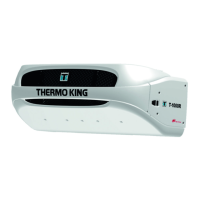
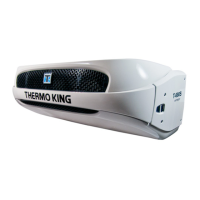
Simple to View and Determine:
Viewing and Clearing Alarm Codes
If an unit alarm condition occurs the Alarm Icon will appear on the
display.
• Check Alarm - the Alarm Icon will turn on and the unit will
continue to run.
• Shutdown Alarm - the Alarm Icon and display will flash on
and off and the unit will shut down.
• If the alarm is zone specific, the zone indicator will be
present to show which zone has the alarm condition
(example: Zone 2 shown).
Displaying Alarm Codes
1. Simultaneously press and
hold the ON key and the
PRETRIP key.
• The Alarm Display will
appear.
• If more than one alarm
code has been set, they
are displayed with the
most recent alarm
shown.
2. Use the UP or DOWN
Arrow keys to scroll
through the alarms.
Clearing Alarm Codes
1. After the alarm situation is
resolved, press the ENTER
key to clear the alarm code
currently being shown.
When all alarms have been
cleared the display will show all zeros to indicate no alarms
codes exist.
• All alarms must be viewed before any alarms can be
cleared.
• If an alarm will not clear, it may still exist. If the alarm is
not corrected, it will not clear or may immediately be set
again.
• Some alarms cannot be cleared using the HMI.
See Operator’s Manual for more information regarding alarm
codes.
Simple to Select:
High Speed Lockout Feature
The High Speed Lockout feature is typically used in noise
sensitive areas to reduce diesel engine noise. This feature does
not have any effect when operating in electric standby mode.
1. Press the High Speed Lockout key.
• Amber LED will illuminate indicating the unit is in High
Speed Lockout.
2. Pressing the High Speed Lockout key again will turn the feature
off.
Simple to Operate:
SmartPower™ Electric Standby (OPTION)
1. Connect the proper voltage power supply to the unit’s power
receptacle.
2. Press the ON key to turn the unit on.
• The preheat buzzer will sound for 20 seconds before the
electric motor starts.
Automatically Switching from Electric to Diesel
If the Electric to Diesel Auto Switch Enabled feature is set to
YES, the unit will automatically switch from Electric Standby Mode
to Diesel Mode when standby power is removed or fails.
T-Series
Multi-Temperature
Truck Unit
with
Standard HMI
Driver’s Guide to
Simple Operation


 To Previous Page
 Loading...