EasyManua.ls Logo

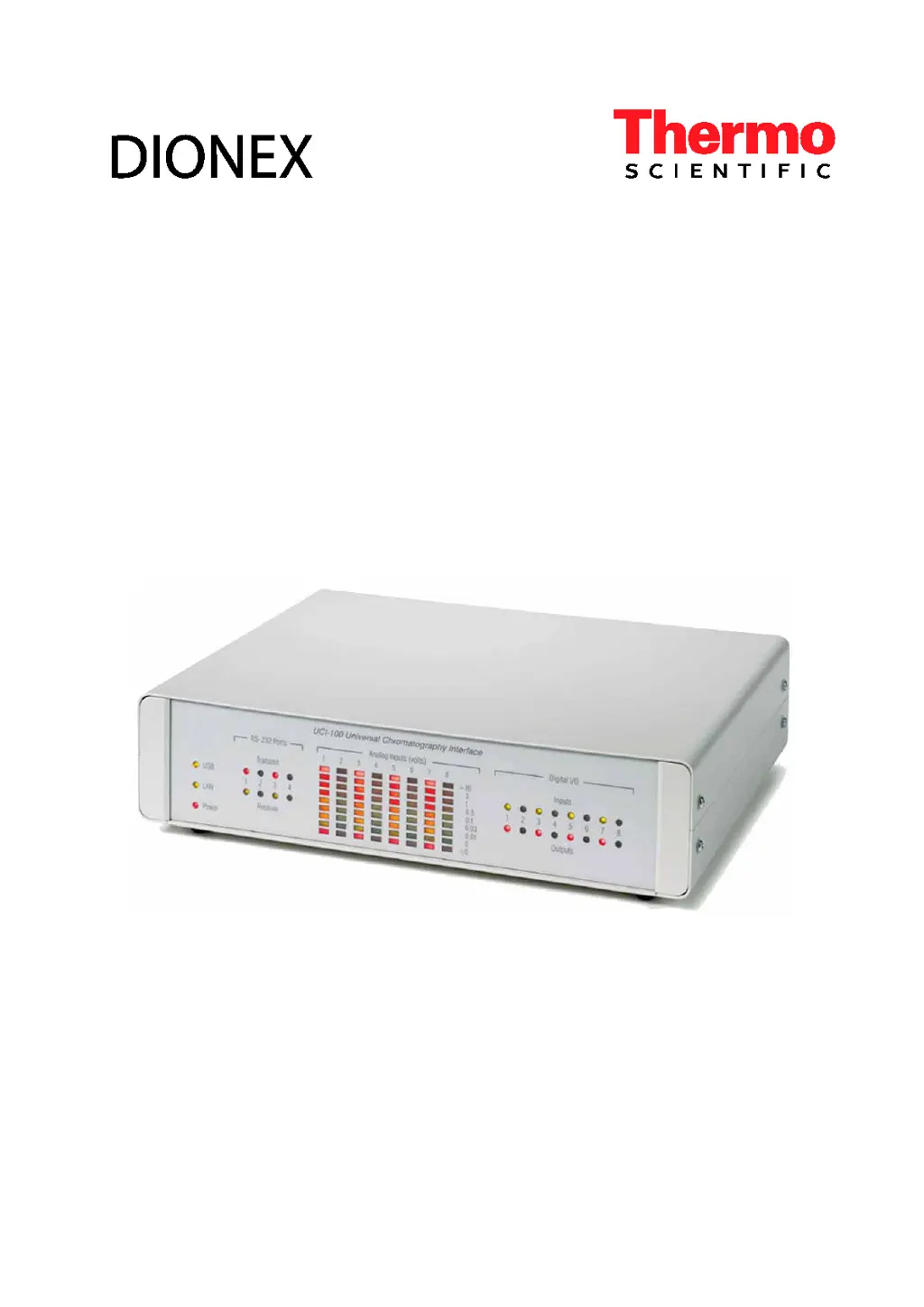
Thermo Scientific UCI-100 - User Manual

Thermo Scientific UCI-100
62 pages
Print Icon
To Next Page IconTo Next Page
Loading...
Universal Chromatography Interfaces
UCI-100 and UCI-50
Operating Instructions
(Original Instructions)
Revision: 4.0-a
Date: November 2011
© 2011 Thermo Fisher Scientific
Doc No. 4829.1151

Questions and Answers

  • A
    Aaron BradySep 3, 2025
    Why Thermo Scientific Recording Equipment shows error issuing control request to UCI-100?
    • M
      micheleclarkSep 3, 2025
      If your Thermo Scientific Recording Equipment displays 'Error issuing control request to UCI-100 @ USB-00-E0-EF- DE-XX-XX – The selected configuration does not exist. A firmware download may be necessary', it means the firmware download hasn't completed correctly due to termination of the USB connection. Check the USB connection. Start or repeat the firmware download. Also, check the connection to the power supply of the UCI.
  • A
    Arthur PhillipsSep 18, 2025
    What does it mean when Thermo Scientific UCI-100 Recording Equipment amplifiers are not working but deviation can be compensated?
    • M
      Matthew HarrisonSep 18, 2025
      If your Thermo Scientific Recording Equipment displays the message: 'UCI. The amplifiers are not working in the specified gain range. The deviation can still be compensated but maintenance is recommended.', it means that the electronics of the specified UCI works near the limits specified for operation. You may continue working. However, you should contact Service.
  • A
    Anthony TorresSep 17, 2025
    What to do if Thermo Scientific Recording Equipment amplifiers are not working in the specified gain range?
    • J
      Joseph RodriguezSep 17, 2025
      If your Thermo Scientific Recording Equipment displays the message: 'UCI. The amplifiers are not working in the specified gain range.', it means that the electronics of the specified UCI does not work within the limits specified for operation. Contact Service.
  • R
    Robert SmithSep 13, 2025
    How to resolve UCI connection reset by peer error on Thermo Scientific Recording Equipment?
    • J
      Jessica PattonSep 13, 2025
      If you see the message 'UCI - Connection reset by peer' on your Thermo Scientific Recording Equipment, it indicates that the network load is too high or the power supply to the UCI has been interrupted for a short period. Reduce the network load and check the connection to the power supply of the UCI.
  • M
    Mrs. Jennifer JohnsonSep 12, 2025
    What causes UCI lost data packets error on Thermo Scientific UCI-100?
    • C
      csanchezSep 12, 2025
      If your Thermo Scientific Recording Equipment displays 'UCI - Lost XXX data packets,' it means that the network load is too high or the connection between the UCI and the Chromeleon server is interrupted for a longer period. Reduce the network load and check the network connection.
  • X
    xjonesSep 10, 2025
    What to do if Thermo Scientific UCI-100 Recording Equipment UCI shows no response for 5 seconds?
    • H
      hayestoddSep 10, 2025
      If your Thermo Scientific Recording Equipment displays 'No response from UCI for 5 seconds. The network may be broken or overloaded,' it indicates that the network load is too high. Reduce the network load. The network connection between the Chromeleon server and the UCI might be inappropriate. Contact your network administrator.
  • J
    jocelyn30Sep 8, 2025
    How to resolve data error cyclic redundancy check on Thermo Scientific UCI-100 Recording Equipment?
    • L
      Lynn JenkinsSep 9, 2025
      If you see 'Error reading from UCI-100 @ USB-00-E0-EF-DE-XX-XX Data error (cyclic redundancy check)' on your Thermo Scientific Recording Equipment, it indicates a communication error between the UCI and the Chromeleon server PC. Check the USB connection, ensuring the connection to the next hub does not exceed 5 m and the overall connection length, including hub connections, does not exceed 30 m. Replace any defective USB cable or hub.
  • C
    Cynthia CurtisSep 7, 2025
    What causes UCI firmware download to fail on Thermo Scientific Recording Equipment?
    • N
      Nathaniel MooreSep 7, 2025
      If your Thermo Scientific Recording Equipment shows 'UCI - Firmware download failed,' it means the firmware download failed several times. This message appears with other messages describing the cause (for example, UCI - Error erasing flash memory, - Error programming flash memory, - Error finishing download). Perform the remedial actions for the messages that appear in the Audit Trail before this message.
  • D
    David Parks PhDSep 5, 2025
    What to do if Thermo Scientific Recording Equipment shows error opening UCI-100?
    • S
      Shelia JonesSep 5, 2025
      If your Thermo Scientific Recording Equipment displays the message 'Error opening UCI-100 @ USB-00-E0-EF-DE-XX-XX – The System cannot find the file specified', it means that the USB connection between the UCI and the Chromeleon server may be interrupted or the power supply to the UCI may be interrupted. Check the USB connection and the connection to the power supply of the UCI.
  • T
    Timothy SmithAug 21, 2025
    What to do if Thermo Scientific Recording Equipment UCI device disconnected?
    • A
      Ashley PattersonAug 21, 2025
      If you encounter a 'No response from UCI for 30 seconds. Device disconnected' error with your Thermo Scientific Recording Equipment, it indicates a potential interruption in the connection between the UCI and the Chromeleon server PC, or a power supply issue to the UCI. You should check the network connection and verify the power supply connection to the UCI.

Summary

Introduction to UCI Operation and Safety

How to Use this Manual

Guide on manual layout and usage recommendations for understanding the interface.

Safety Information

Information about safety symbols and general precautions for safe operation.

Symbols on the Module and in the Manual

Details symbols used in the manual and on the instrument for safety.

General Safety Precautions

Lists essential safety measures to be taken before operating the UCI.

Intended Use of the UCI

Defines the purpose and expected application of the UCI.

Federal Communications Commission (FCC) Note

Compliance information regarding FCC rules for radio frequency emissions.

Installation Procedures for the UCI

Facility Requirements for UCI Installation

Specifies environmental and site requirements for installing the UCI.

Unpacking the UCI Module

Instructions for carefully unpacking the UCI and checking for transit damage.

Connecting and Setting Up the UCI in Chromeleon

Guides on connecting the UCI to the PC and configuring it within Chromeleon.

USB Installation for the UCI

Step-by-step guide for installing the UCI via USB connection.

LAN Installation for the UCI

Instructions for setting up the UCI using a LAN connection.

Separate Network Interface Card Setup

Details installing a separate network interface card for instrument LAN.

Assigning IP Properties using CmIPUtil

Guide to assigning IP addresses and subnet masks using the CM IP Utility.

Network Operation Considerations

Discusses network traffic and operation considerations for LAN connections.

Recommendations for Network Operation

Best practices and recommendations for operating the UCI over a network.

Setting Up the UCI in Chromeleon

Steps to integrate and configure the UCI within the Chromeleon software.

Configuring the UCI in Chromeleon

Detailed configuration settings for the UCI within Chromeleon.

Adding Multiple UCI Modules to Server Configuration

Procedures for adding multiple UCI modules to the Chromeleon server configuration.

Setting Up Analog Inputs

How to configure analog input channels for data acquisition in Chromeleon.

Setting Up Digital Inputs, BCD Inputs, and Relay Outputs

Configuring digital inputs, BCD inputs, and relay outputs for the UCI.

Assigning RS232-Ports

Steps to assign RS-232 ports for controlling external devices.

Commands and Properties in Chromeleon

Overview of commands and properties available for UCI in Chromeleon.

Troubleshooting UCI Operation

Common UCI Error Messages and Solutions

Details common error messages, their probable causes, and recommended remedial actions.

Maintenance and Service for the UCI

General Information on Maintenance and Service

Overview of maintenance requirements and service procedures for the UCI.

Updating the UCI Firmware

Step-by-step guide for updating the UCI firmware.

Technical Specifications of the UCI

Analog Inputs Specifications

Technical specifications for the analog input channels of the UCI.

Digital Inputs Specifications

Technical specifications for the digital input channels of the UCI.

Relay Outputs Specifications

Technical specifications for the relay outputs of the UCI.

RS-232 Ports Specifications

Technical specifications for the RS-232 communication ports.

PC Interfaces Specifications

Technical specifications for USB and Ethernet PC interfaces.

Miscellaneous Technical Data

Includes environmental conditions, weight, and dimensions of the UCI.

Accessories and Spare Parts for UCI

Standard Accessories

Lists accessories shipped with the UCI and their part numbers.

Optional Accessories

Lists optional accessories available for the UCI and their details.

UCI Pin Assignment Details

General Information on Pin Assignments

Provides general information on pin assignments for UCI interfaces.

Analog Inputs Pin Assignment

Detailed pin assignment for analog input connectors.

Digital Inputs Pin Assignment

Detailed pin assignment for digital input connectors.

RS-232 Ports Pin Assignment

Detailed pin assignment for RS-232 ports.

BCD Inputs Pin Assignment

Detailed pin assignment for BCD inputs used for sample position recording.

Power Receptacle Information

Information about the UCI's DC power input connector.

Thermo Scientific UCI-100 Specifications

General IconGeneral
BrandThermo Scientific
ModelUCI-100
CategoryRecording Equipment
LanguageEnglish

Related product manuals