
 Need help?
Do you have a question about the thermofin TCS.2 Series and is the answer not in the manual?
Explains the scope and series of the operating manual.
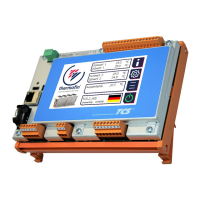
Describes the complex control system for optimal performance and energy efficiency.
Details the use of TCS in modern refrigeration and air conditioning systems.
Illustrates the electrical connections and components of the TCS.2.
Illustrates the electrical connections and components of the TCS.2.
Explains the functions of the device's navigation buttons and icons.
Details the hierarchy and layout of the device's menu system.
Explains the different access levels and how to manage passwords.
Guides on how to modify parameters and settings within the system.
Describes the information presented on the status display and its components.
Explains different requirement statuses like Off, NC, FC, HR.
Configuration options for different heat exchanger system types.
Settings related to controlling various functions like requirement, setpoints, and operation modes.
Configuration and assignment of digital and analogue inputs and outputs.
Parameters for configuring fan operation, speed, and fault handling.
Settings for integrating the device with building management systems via bus.
Configuration of supplementary functions like wet settings, circulation, and refrigerant.
Allows switching between SI and Anglo-American units for display.
Displays current system values for condensers and dry coolers.
Overview and manual operation of digital and analogue I/Os.
Provides an overview of installed consumption and operating hours counters.
Displays messages about incorrect operating status, warnings, or alarms.
Allows viewing and editing of relevant setpoints based on the heating system.
Configuration of network variables for the Ethernet interface.
Settings for the device's real-time clock and time zone.
Settings for the spray system on condensers or dry coolers.
Shows standard I/Os used for requirement or feedback from valves.
Feedback details for valves via Modbus communication.
Configuration of wet menu settings specific to spray systems.
Settings for devices using adiabatic pads for pre-cooling air.
Shows standard I/Os used for requirement or feedback from valves.
Feedback details for valves via Modbus communication.
Configuration of wet menu settings specific to cooling mat systems.
Configuration of humidification system settings for hybrid coolers.
Configuration of wet mode settings for hybrid coolers.
Configuration of humidification system settings for penthouse coolers.
Configuration of wet mode settings for penthouse coolers.
Lists and explains error messages related to CAN module communication.
Details error messages and remedies for fan-related issues.
Lists and explains error messages related to flap operation.
Explains error messages for incorrect sensor readings or configurations.
Details error messages from external signals and their remedies.
Lists and explains error messages related to valve operation and running times.
 General
| Brand | thermofin |
|---|---|
| Model | TCS.2 Series |
| Category | Control Systems |
| Language | English |

 To Next Page