
 Need help?
Do you have a question about the Thermoline Scientific TD Series and is the answer not in the manual?
Explains safety symbols like general warning, flammable, electricity, hot surface, and prohibition.
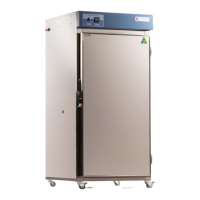
Provides an introduction to the drying oven range and recommends reading the manual before use.
Details external dimensions (WxDxH) and clearance requirements for various oven models.
Lists external dimensions, internal dimensions, and clearance for TD-500FM and TD-700FM models.
Details temperature range, control stability, heater power, capacity, and weight for different models.
Outlines oven features like shelves, castors, fan, safety features, and available options.
Details features, safety, and options for TD-500FM and TD-700FM models, including controller programs.
Specifies correct placement away from heat sources and environmental requirements for optimal operation.
Details the required power supply (10A/230V or 15A/230V) and IEC socket connections.
Warns against storing items on top, using flammable solvents, and improper cabinet placement.
Guides on how to safely unpack the oven and move it, noting its top-heavy nature.
Explains how to use the lockable castors to secure the oven on an even surface.
Details requirements for a level surface, clearances for vents, and door operation space.
Provides instructions on adjusting shelf clips and lists shelf lengths for different models.
Explains the function of inlet/exhaust ports and requirements for ventilation system connection.
Details how to clean the interior, exterior, and door gasket using mild soap and water.
Describes the port hole and its plug, and provides warnings for castor access and exhaust blockage.
Guides on removing packaging, connecting power, and turning on the oven for initial operation.
Explains how to distribute loads evenly on shelves and avoid blocking air vents for efficient drying.
Explains the meaning of LED indicators and basic functions of the Omron E5CC controller.
Details how to change temperature settings and calibrate the sensor for accurate readings.
Explains the optional BMS output socket for connecting to monitoring systems or diallers.
Guides on how to reset the over-temperature safety thermostat and potential causes for tripping.
Addresses issues like temperature discrepancies, sensor calibration, and fan failure causing no airflow.
Provides step-by-step instructions to resolve the 'Stop' message displayed on the controller.
Explains how to adjust the strike plate to fix issues with the lever latch door closing firmly.
Details the 24-month warranty, terms, conditions, and how to make a claim.
 General
| Temperature Range | Ambient +5°C to 250°C |
|---|---|
| Control | Digital PID Controller |
| Type | Drying Oven |
| Temperature Uniformity | ±2.0°C at 100°C |
| Shelves | 2 (adjustable) |
| Construction | Powder coated mild steel exterior, stainless steel interior |
| Safety Features | Over temperature protection |
| Capacity | 240L (Depending on Model) |
| Power Supply | 230V, 50Hz (Other Voltages Available) |
| Exterior Dimensions | Varies by Model |
| Interior Dimensions | Varies by Model |
| Weight | Varies by Model |

 To Next Page