
 Need help?
Do you have a question about the ThermTec Vidar Series and is the answer not in the manual?
Covers environmental influences, handling, temperature limits, and regulatory compliance for safe operation.
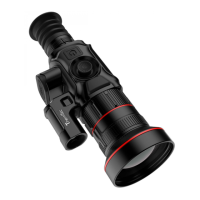
Overview of the Vidar Series thermal imaging scope and its primary features.
Detailed technical specifications for Vidar 335, 360, 635, and 660 models.
Detailed technical specifications for Vidar 335L, 360L, 635L, and 660L models.
Lists all included items and details the appearance of Single and Dual FOV models.
Details button functions, control operations, and installation procedures.
Covers initial setup, device control, zoom, and menu navigation.
Guide to navigating the main menu and understanding the status bar information.
Configuration options for image, zeroing, WiFi, and other core settings.
Details on tracking, RAV, OSD, pixel, OLED, zoom, LRF, file management, and system settings.
Instructions for customizing reticle type, dot, location, brightness, and mode.
Explanation and operation of the Picture-in-Picture feature.
Information on downloading the app, device maintenance, updates, and troubleshooting common issues.
Important notes on modifications, RF exposure, and regulatory compliance.
 General
| Brand | ThermTec |
|---|---|
| Model | Vidar Series |
| Category | All in One Printer |
| Language | English |

 To Next Page