The device described in this manual is the THINIUM ReCHARGE [+], a portable charging solution designed for mobile devices. It functions as a versatile charger, offering multiple ways to power up smartphones and other USB-compatible devices, both from its internal battery and external power sources.
Function Description:
The ReCHARGE [+] serves as a compact and multi-functional power bank and wall charger. Its primary function is to provide on-the-go power to mobile devices via an internal battery, and to charge devices directly from a wall outlet or a USB power source. The device is designed with adaptability in mind, featuring interchangeable adapters to support various phone types, and integrated charging cables/blades for convenience.
Important Technical Specifications (inferred from diagrams and text):
- Charging Dock: Foldable, designed to securely hold a smartphone during charging.
- Adapter System: Features an Adapter Connector (A) that accepts interchangeable adapters for different phone types:
- Lightning Adapter (M)
- Micro-USB Adapter (N)
- Type-C Adapter (O)
- An Adapter Release Button (C) is present for easy adapter swapping.
- Internal Battery: Provides power for device charging when external power is not available. Activated by the Battery Activation Button (H).
- LED Indicator Lights (I): Indicate the battery status or charging activity.
- Wall Charging: Equipped with Foldable Wall Blades (G) for direct connection to a wall outlet. A Quick Release Button (F) facilitates the deployment of these blades.
- USB Charging (Input/Output):
- Integrated USB Charge Cable (D): Primarily for charging the ReCHARGE [+] itself or for charging a device from a computer/USB source (power only).
- USB Port (E): Allows connection of any USB cable to charge a device, implying it can act as a power output.
- Portability: Designed for on-the-go use with foldable components (charging dock, wall blades, USB cable) for compact storage.
- Dimensions (inferred): Appears to be a slim, rectangular device, similar in size to a smartphone when folded.
Usage Features:
- Device Connection:
- Open Charging Dock: The Foldable Charging Dock (B) is pushed open from the back until fully extended, revealing the adapter cavity.
- Choose Adapter: The user selects the appropriate adapter (Lightning, Micro-USB, or Type-C) corresponding to their phone type.
- Insert Adapter: The chosen adapter is slid onto the dock cavity until it locks into place.
- Connect Device: The mobile device is placed onto the adapter until it "clicks" securely into place.
- Battery Charge (from internal battery):
- Press the Battery Activation Button (H) to initiate charging from the ReCHARGE [+]'s internal battery. The LED Indicator Lights (I) will illuminate.
- Wall Charge:
- Press the Quick Release Button (F) on the backside to deploy the Foldable Wall Blades (G).
- Flip up the blades and plug the unit into any standard wall outlet. (Note: Blades do not extend to a full 90° angle).
- USB Charge (from integrated cable):
- Pull out the integrated USB Charge Cable (D).
- Plug the cable into a computer or any USB charging source to charge the connected device or the ReCHARGE [+] itself.
- USB Port Charge (from external cable):
- Attach any standard USB cable to the USB Port (E) on the ReCHARGE [+].
- Connect the other end of the USB cable to the device to be charged.
- Kickstand Functionality:
- The Kickstand (J) is squeezed on both sides and pushed into its cavity until it locks.
- This allows the phone to be propped up in landscape view for media consumption.
- Optional Booster (L):
- An enclosed Booster (L) can be attached to provide additional stability for uncased phones when docked.
- Folding Closed:
- From the front, push the Foldable Charging Dock (B) inward.
- Tuck in the Foldable Wall Blades (G) or the USB Charge Cable (D) for compact storage.
Maintenance Features:
- Adapter Replacement: The modular adapter system allows for easy replacement of adapters if a different phone type needs to be charged, or if an adapter is damaged. The Adapter Release Button (C) facilitates this.
- Suction Cups (K) Replacement:
- The device includes an extra set of Suction Cups (K).
- These are designed to be peeled off and replaced on the front side of the ReCHARGE [+] if the existing ones fall off, ensuring continued device stability.
The THINIUM ReCHARGE [+] is designed for users who need a flexible and portable charging solution, combining the functions of a power bank, wall charger, and device stand into a single, compact unit.

 Need help?
 General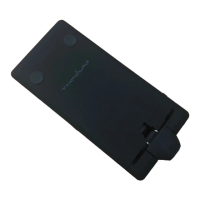

 To Next Page