Need help?
Do you have a question about the THINK GIZMOS TG646 and is the answer not in the manual?
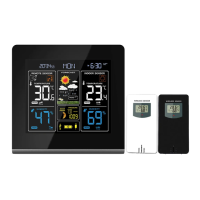
Lists key functionalities of the TG646 weather station like radio-controlled time, calendar, and alarm.
Details the TG646 transmitter's frequency and range for outdoor data collection.
Identifies the main LCD segments and physical buttons for operating the weather station.
Recommends mains adapter use and initial power-on duration for accurate predictions.
Guides through connecting power, inserting batteries, and sensor pairing for initial operation.
Explains how to activate and adjust the screen backlight for optimal visibility.
Details the automatic MSF signal search for time and date synchronization.
Provides information on MSF signal search, cancellation, and tips for improving reception.
Outlines the steps for manually setting the 12/24 hour mode, hour, minute, year, month, and date.
Step-by-step guide to setting the hour and minute for the daily alarm.
Explains how to switch the alarm ON or OFF and the indicator icon.
Covers alarm stopping, automatic resetting, and rising alarm characteristics.
Describes how to activate the snooze function for a 5-minute delay.
Explains switching between Celsius and Fahrenheit and out-of-range value displays.
Guides on setting upper and lower temperature thresholds for audible alerts.
Details activating frost and temperature alerts, including indicator icons.
Instructions for viewing and resetting maximum and minimum temperature/humidity values.
Explains how arrows indicate temperature/humidity trends relative to prior measurements.
How to display barometric pressure in HPA/INHG and shows out-of-range values.
Describes the 24-hour graph showing pressure history compared to previous hours.
Explains how pressure trend arrows indicate changes relative to the initial measurement.
Details the 8-hour forecast based on air pressure and its associated weather symbols.
Shows the 5 levels of indoor comfort based on temperature and humidity readings.
Explains the automatic display of current moon phases based on the date.
Informs about using the weather station's USB port for charging mobile devices.
Covers warranty duration, exclusions, company responsibilities, and how to obtain service.
 General
| Brand | THINK GIZMOS |
|---|---|
| Model | TG646 |
| Category | Weather Station |
| Language | English |

 To Next Page