EN
NOTE :
● To review I/M Readiness status, make sure that the ignition key is switched to ON with the engine o.
● Not all monitors are supported by all vehicles.
I/M Readiness is a useful function used to check if all monitors are OK or N/A. The vehicle’s
computer performs tests on the emission system during normal driving conditions. After a
specic amount of drive time (each monitor has specic driving conditions and time required),
the computer’s monitors decide if the vehicles emission system is working correctly. When the
monitor’s status is:
● OK - vehicle was driven enough to complete the monitor.
● INC (Incomplete) - vehicle was not driven enough to complete the monitor.
● N/A (Not Applicable) - vehicle does not support that monitor. There are two types of I/M
Readiness tests:
● Since DTCs Cleared - shows status of the monitors since the DTCs were last cleared.
● This Drive Cycle - shows status of monitors since the start of the current drive cycle. Below is
a list of abbreviations and names of OBD II monitors supported by the code reader.
There are two ways to retrieve I/M Readiness Status data:
● One-click I/M readiness key
● Typical way: select I/M Readiness from Diagnostic Menu
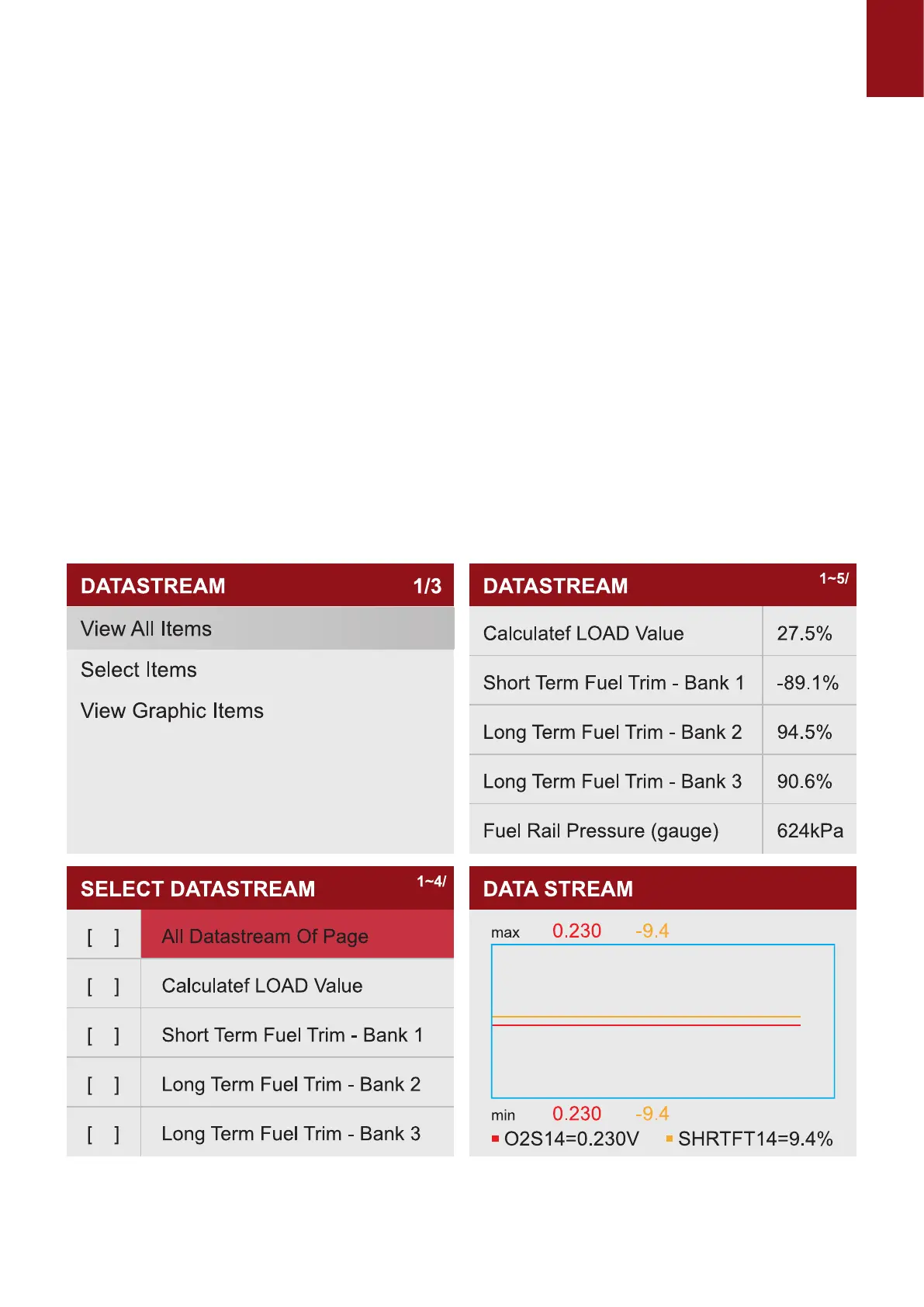
1.4 Select "DATA STREAM" View all data streams,Next click "OK", and nally you can view the
graphics data ow.
Tips: Use the BACK key to return to diagnostic menu.
1.5
Select "FREEZE FRAME" and click "OK" to view the freeze frame data stream.



 To Next Page