EN
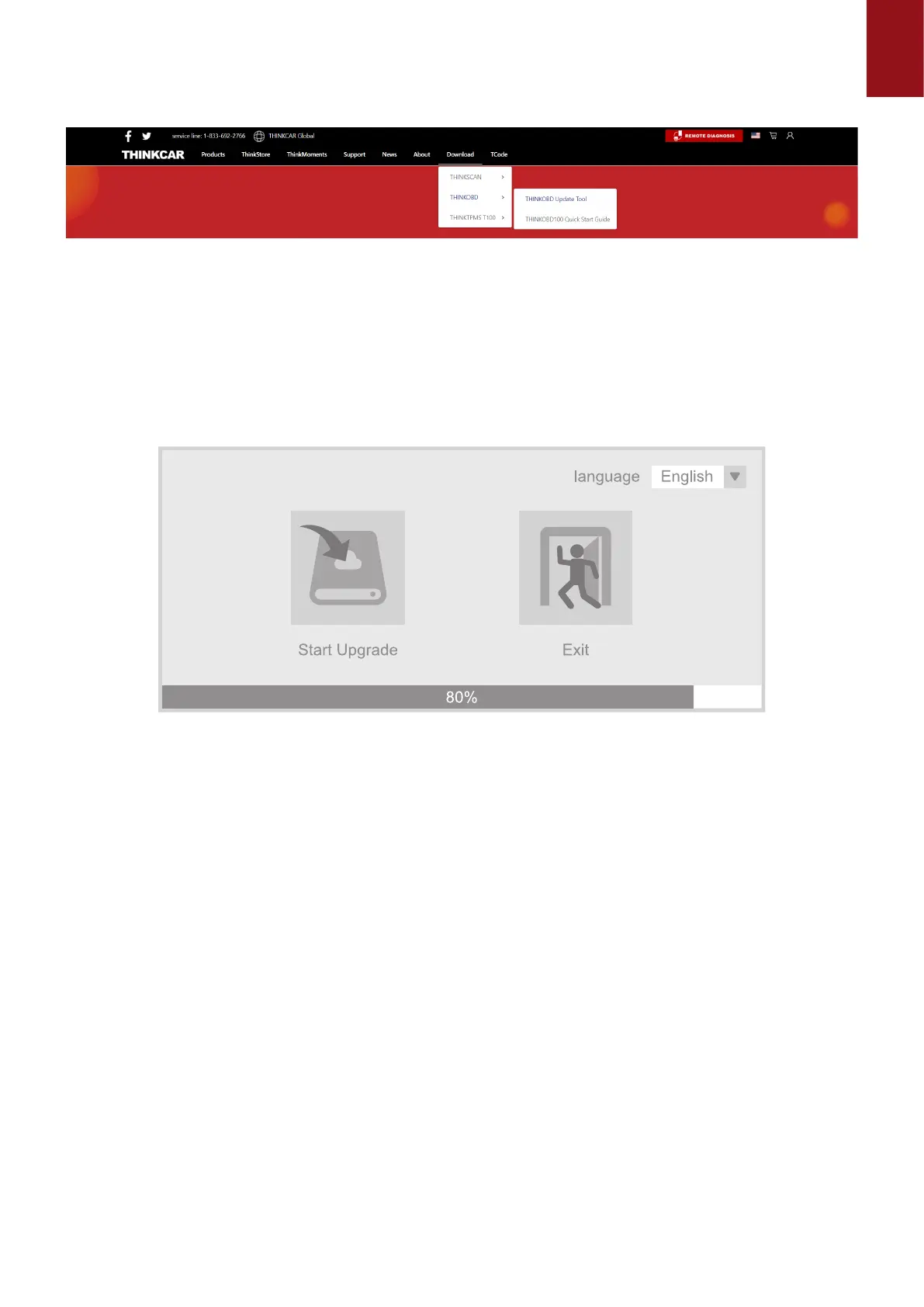
Updata TOOL", download tool "Product Updata Tool Setup.exe" on your computer. Unzip
and install it on your computer (compatible with Windows XP, 7, 8, and 10).
When the installation is complete, connect one end of the USB data cable to the USB port of the
computer, Type-c port on the other end of the tool.
1.3 First insert the device into the computer identication port, then open the OBD500 upgrade
tool. Find the "COMFLG.INI" le and open, and change the "Serial Name" in the le as
same as the computer and device port "USB-COM name"
1.4 Finally, open the "CReaderV Plus Upgrade Tool.exe" of the OBD500 installation package
le, and click "Start Upgrade" to complete the upgrade.
Warranty Terms
This warranty applies only to users and distributors who purchase THINKCAR INC www.
thinkcar.com THINKCAR OBD500 products through normal procedures. Provide free warranty
within one year. THINKCAR warranty including electronic products for damages caused by
defects in materials or workmanship. Damages to the equipment or components caused by
abusing, unauthorized modication, using for non-designed purposes, operation in a manner
not specied in the instructions, etc.are not covered by this warranty. The compensation for
dashboard damage caused by the defect of this equipment is limited to repair or replacement.
THINKCAR does not bear any indirect and incidental losses. THINKCAR will judge the nature of
the equipment damage according to its prescribed inspection methods. No agents, employees
or business representatives of THINKCAR are authorized to make any conrmation, notice or
promise related to THINKCAR products.
Service Line: 1-833-692-2766
Customer Service Email: support@thinkcarus.com
Ocial Website: www.thinkcar.com
Products tutorial, videos, FAQ and coverage list are available on THINKCAR ocial website.



 To Previous Page