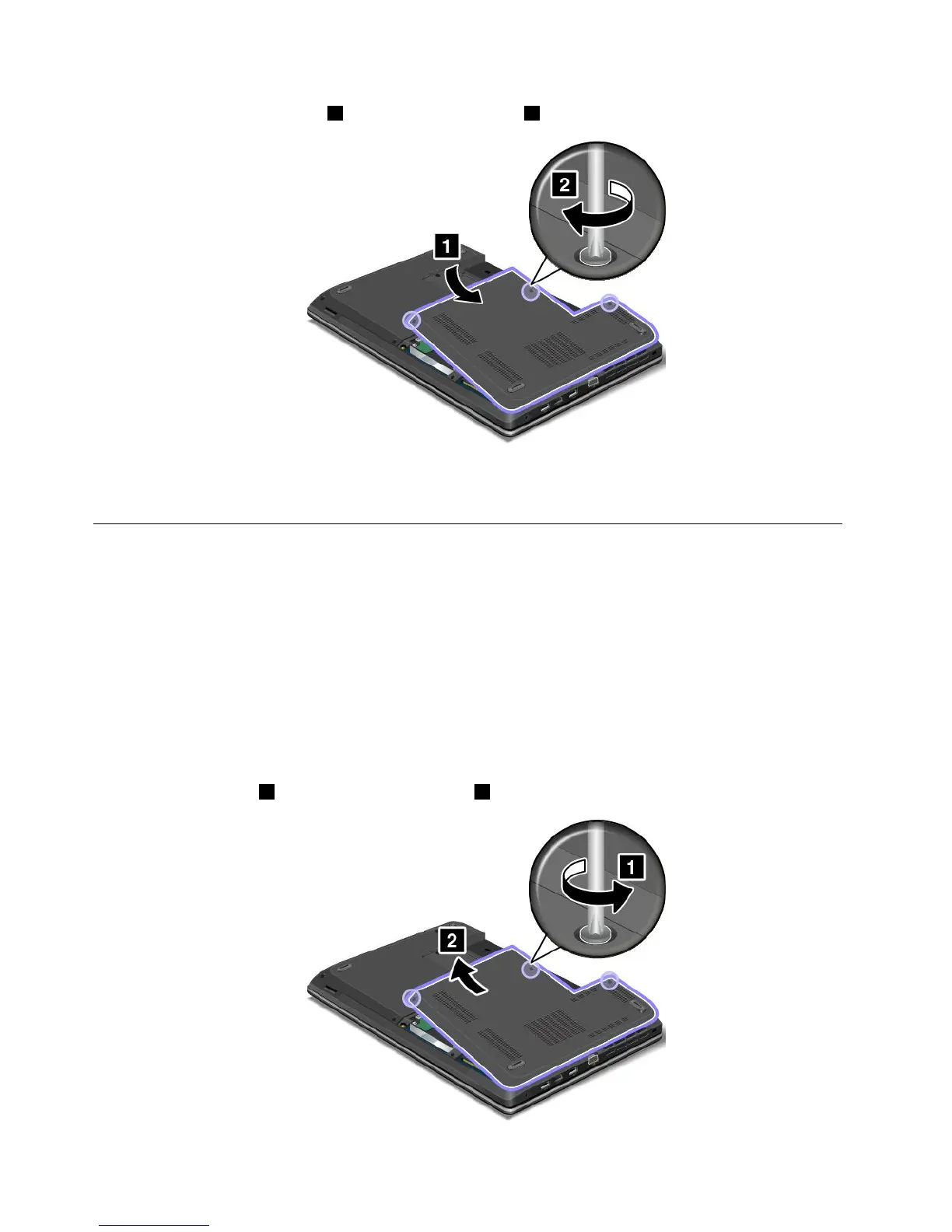
9.Reinstallthecomputercover1.Thentightenthescrews2.
10.Reinstallthebattery.See“Replacingthebattery”onpage71.
11.Turnthecomputeroveragain.Connecttheacpoweradapterandallcables.
Replacingtheopticaldrive
ThinkPadEdgeE440
Beforeyoustart,printtheseinstructions.
Anopticaldriveispreinstalledintheopticaldrivebay.Ifitneedstoberepaired,removeitbydoingthe
following:
1.Turnoffthecomputer;thendisconnecttheacpoweradapterandallcablesfromthecomputer.Wait
threetofiveminutestoletthecomputercool.
2.Removethebattery.See“Replacingthebattery”onpage71.
3.Closethecomputerdisplay,andturnthecomputerover.
4.Loosenthescrews1,andthenremovethecover2.
90UserGuide



 To Next Page