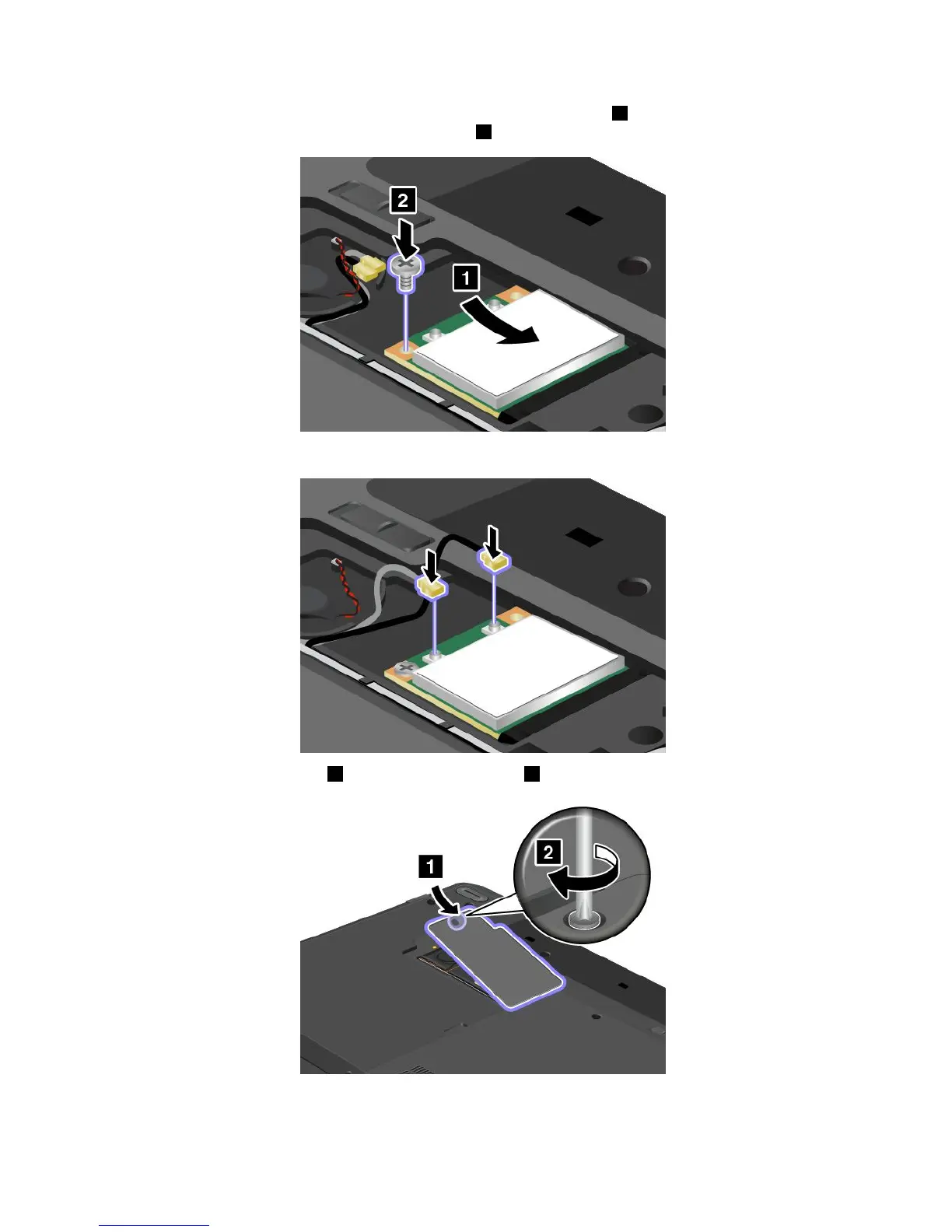
7.Alignthecontactedgeofthenewcardwiththecorrespondingsocket1.Pivotthecarduntilyoucan
snapitintoplace.Securethecardwiththescrew
2.
8.Connecttheantennacablestothenewcardasshowninthedrawing.
9.Reinstallthecomputercover1.Thentightenthescrews2.
10.Reinstallthebattery.See“Replacingthebattery”onpage71.
11.Turnthecomputeroveragain.Connecttheacpoweradapterandallcables.
96UserGuide



 To Next Page