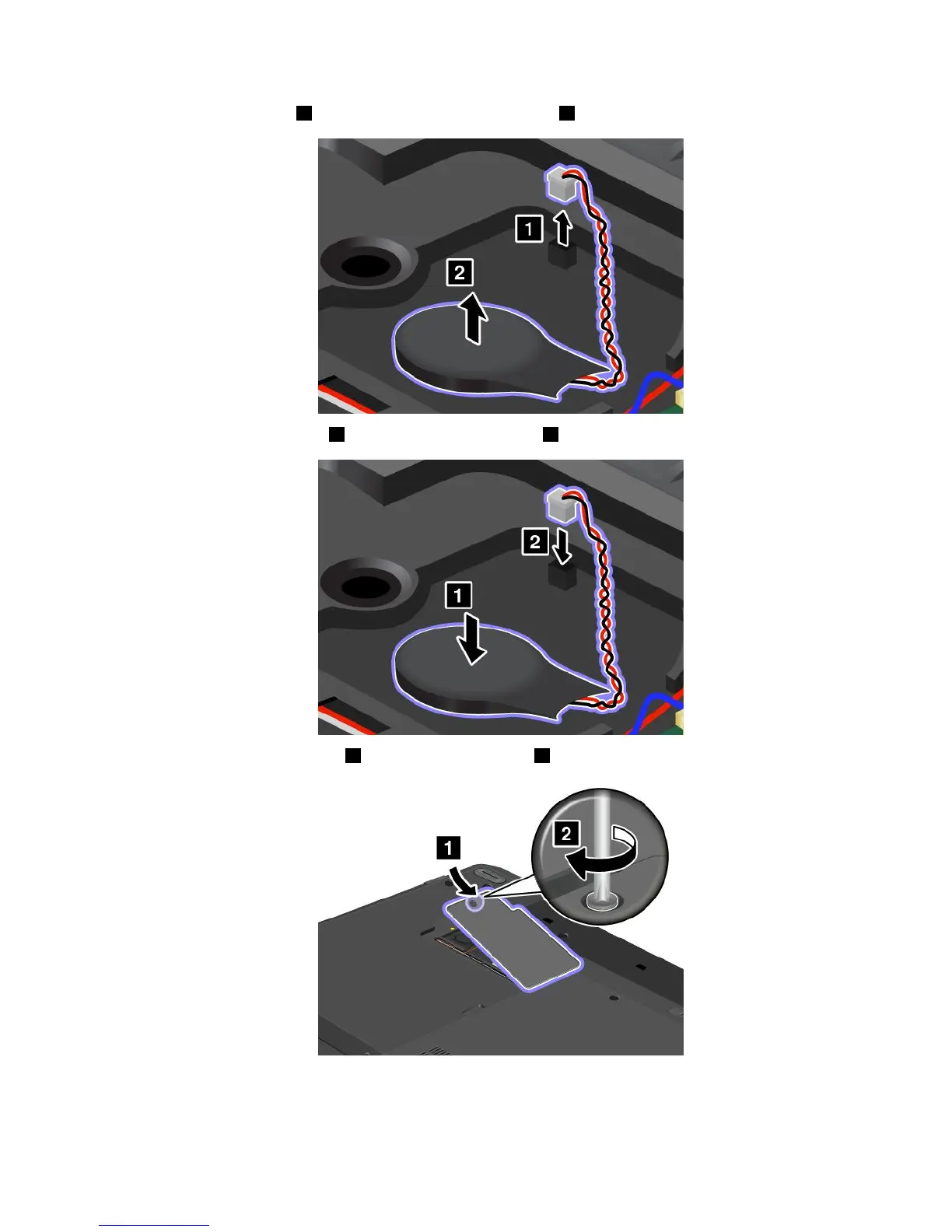
5.Detachtheconnector1.Thenremovethecoin-cellbattery2.
6.Installthecoin-cellbattery1.Thenattachtheconnector2.
7.Reinstallthecomputercover1.Thentightenthescrew2.
8.Reinstallthebattery.See“Replacingthebattery”onpage71.
9.Turnthecomputeroveragain.Connecttheacpoweradapterandallcables.
Chapter6.Replacingdevices103



 To Next Page