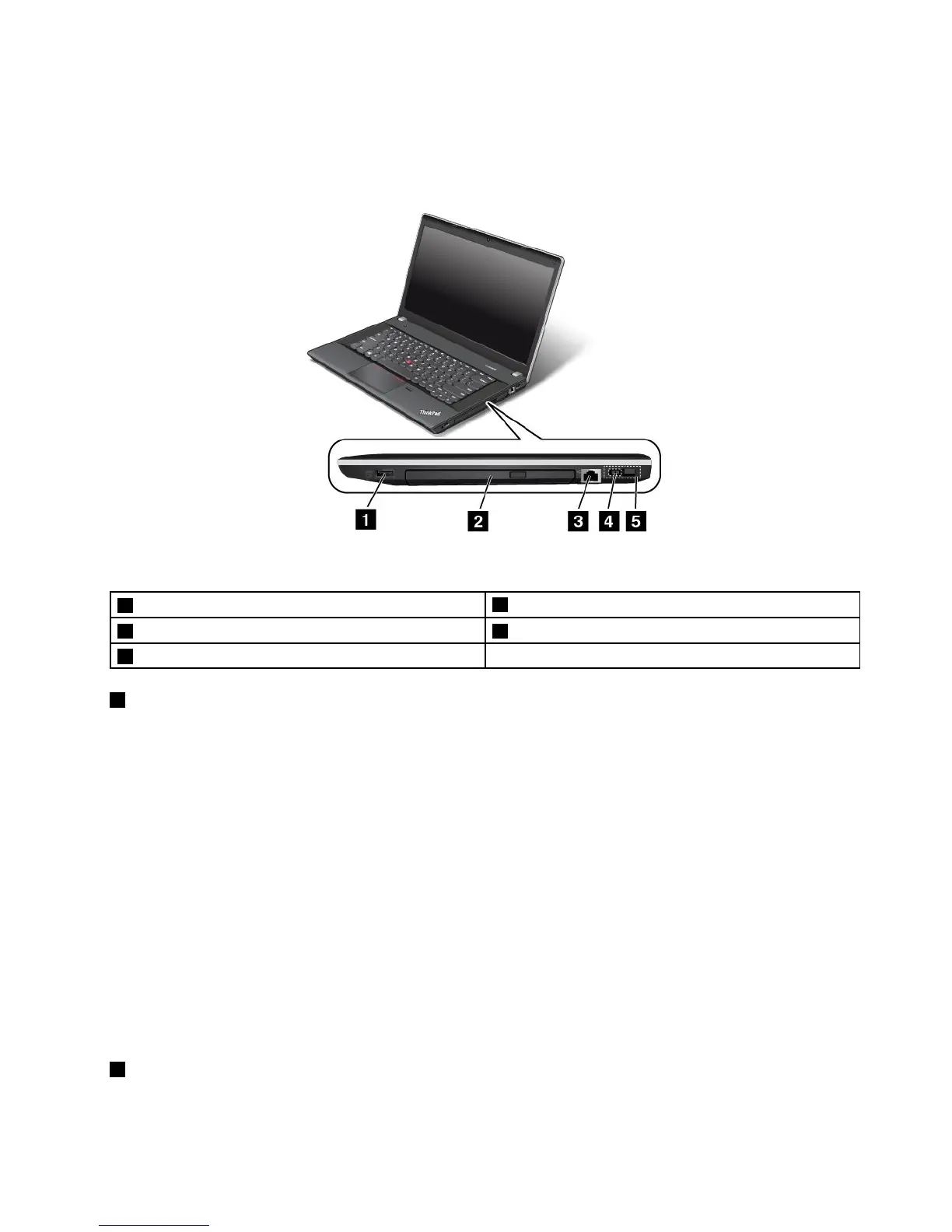
Right-sideview
Note:Yourcomputerkeyboardmightlookdifferentfromthefollowingillustration.
Figure3.ThinkPadEdgeE440andE540right-sideview
1Always-onUSBconnector(USB2.0connector)
4acpowerconnector
2Opticaldrive5LenovoOneLinkconnector
3Ethernetconnector
1Always-onUSBconnector(USB2.0connector)
Bydefault,theAlwaysOnUniversalSerialBus(USB)connectorenablesyoutochargesomemobiledigital
devicesandsmartphonesinthefollowingsituations:
•Whenyourcomputerisonorinsleepmode
•Whenyourcomputerisinhibernationmodeoristurnedoff,butconnectedtoacpower
Ifyouwanttochargethesedeviceswhenyourcomputerisinhibernationmodeoristurnedoff,andthe
computerisnotconnectedtoacpower,dothefollowing:
•ForWindows7:StartthePowerManagerprogramandclicktheGlobalPowerSettingstab.Then
selecttheEnableUSBchargefromthecomputerbatteryevenwhenthecomputerisoffcheck
box,andclickOKorApply.
•ForWindows8andWindows8.1:PresstheWindowskeytogototheStartscreen.ClickLenovo
Settings➙Power.ThenselectEnableUSBchargefromthecomputerbatteryevenwhenthe
computerisoffcheckboxunderAlwaysOnUSB.
Note:WhenyouattachaUSBcabletothisUSBconnector,ensurethattheUSBmarkisfacingupward.
Otherwisetheconnectormightbedamaged.
2Opticaldrive
Usetheopticaldrivetoreadorburnopticaldiscs.
Chapter1.Productoverview5



 To Next Page