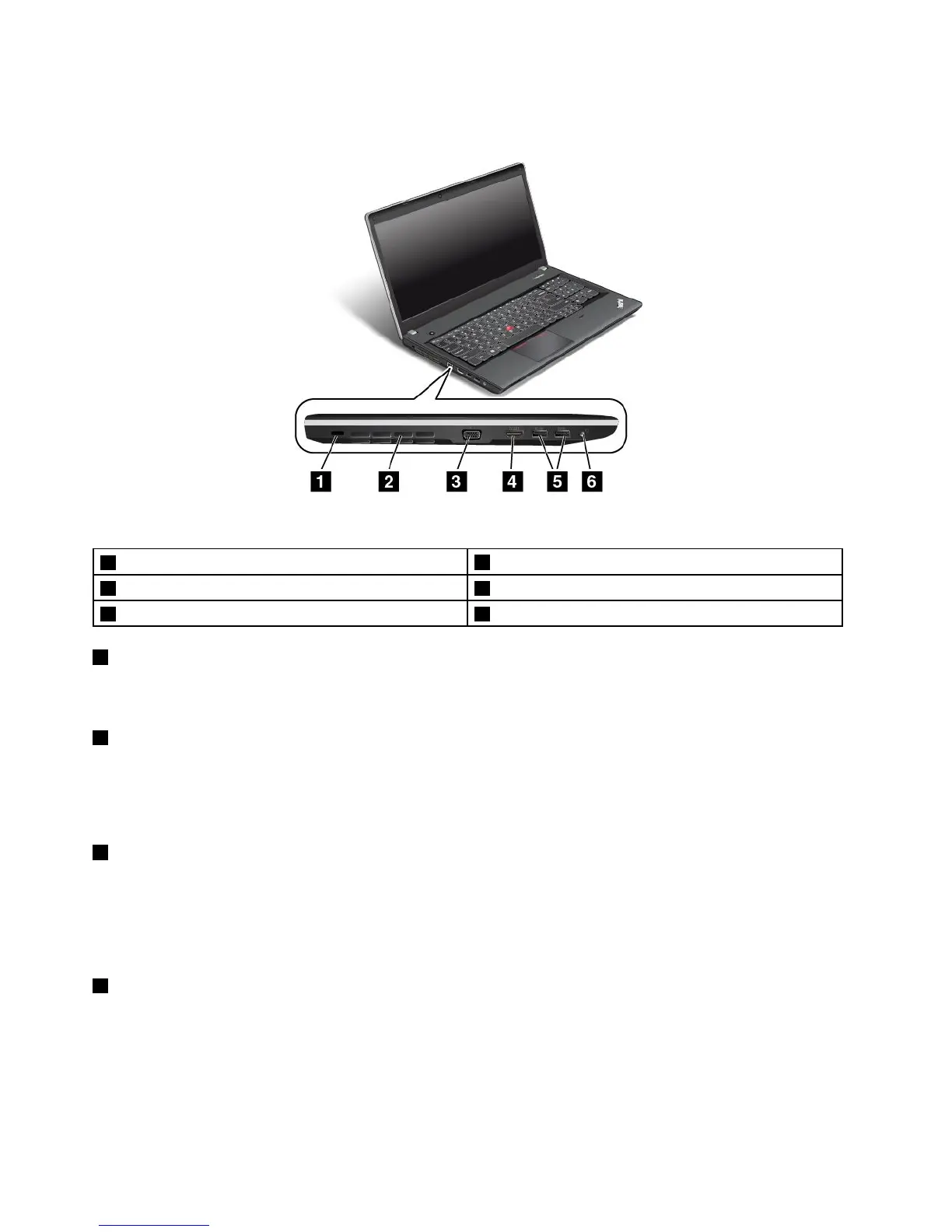
ThinkPadEdgeE540left-sideview
Figure5.ThinkPadEdgeE540left-sideview
1Security-lockslot
4HDMIconnector
2Fanlouvers(left)5USB3.0connectors
3VGAconnector6Comboaudioconnector
1Security-lockslot
Purchaseasecuritycablelockthatfitsthissecurity-lockslottolockyourcomputertoastationaryobjectto
protectyourcomputerfromtheft.
2Fanlouvers(left)
Thefanlouversandtheinternalfanenableairtocirculateinthecomputertoensurepropercooling,
especiallythecoolingofthemicroprocessor.
Note:Toensureproperairflow,donotplaceanyobstacleinfrontofthefanlouvers.
3VGAconnector
Usethevideographicsarray(VGA)connectortoconnectthecomputertoaVGA-compatiblevideodevice,
suchasaVGAmonitor.
Note:IfyouconnectthecomputertoasupportedThinkPadOneLinkDock,usetheVGAconnectoron
thedock,nottheoneonthecomputer.
5HDMIconnector
Usethehigh-definitionmultimediainterface(HDMI)connectortoconnectthecomputertoa
HDMI-compatibleaudiodeviceorvideomonitor,suchasanhigh-definitiontelevision(HDTV).
Note:IfyouconnectthecomputertoasupportedThinkPadOneLinkDock,usetheHMDIconnectoron
thedock,nottheoneonthecomputer.
8UserGuide



 To Next Page