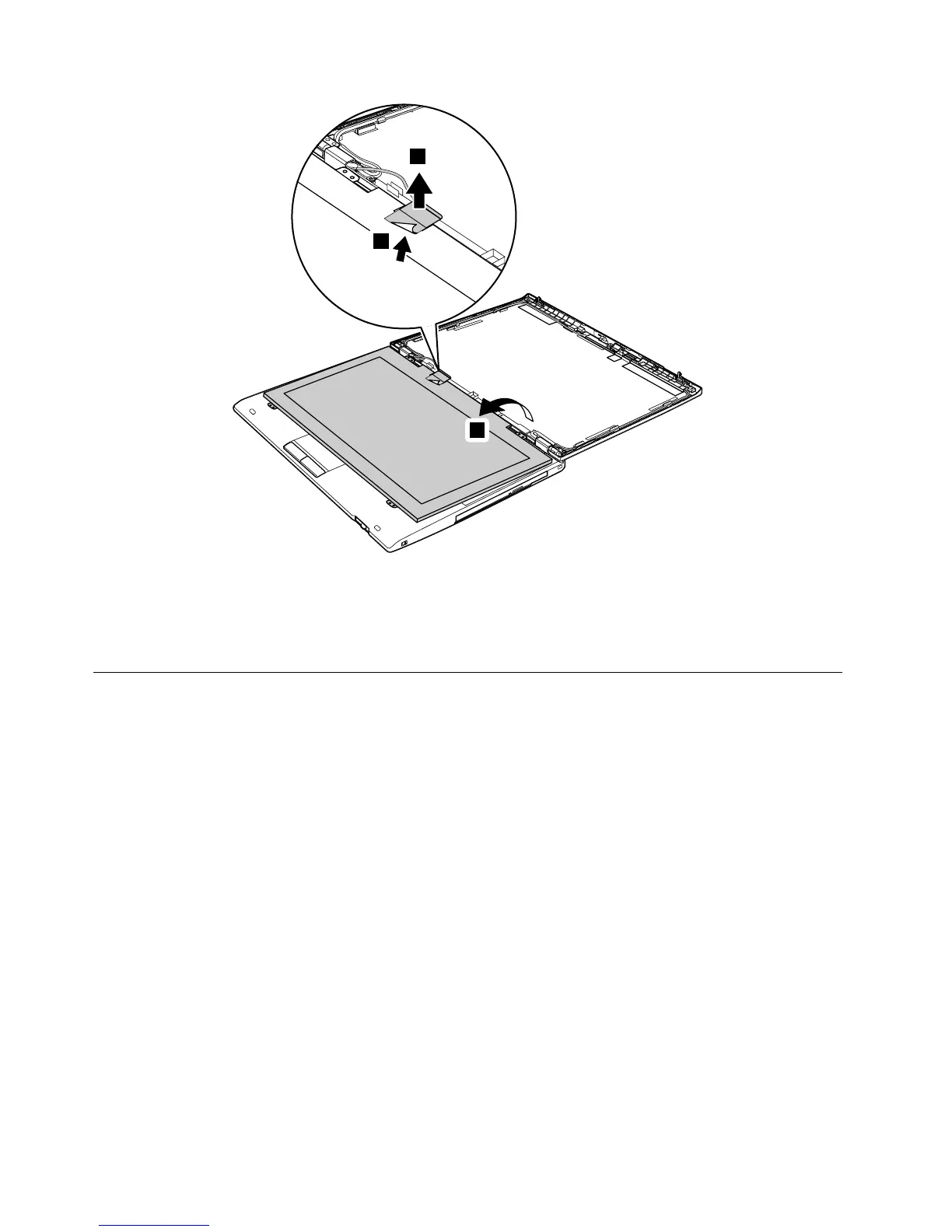
Wheninstalling:
WhenattachingtheLCDpaneltothecover,gentlypresstheleftandrightedgescoveredwithmetal.Donot
pressthesurfaceofthepanelorapplyanyexcessiveforcetothepanel.
2030Integratedcamera,microphone,orhallsensorcard
Foraccess,removetheseFRUs,inorder:
•“1010Batterypack”onpage68
•“2010LCDbezelassembly”onpage101
•“2020LCDpanel”onpage102
104HardwareMaintenanceManual



 To Next Page