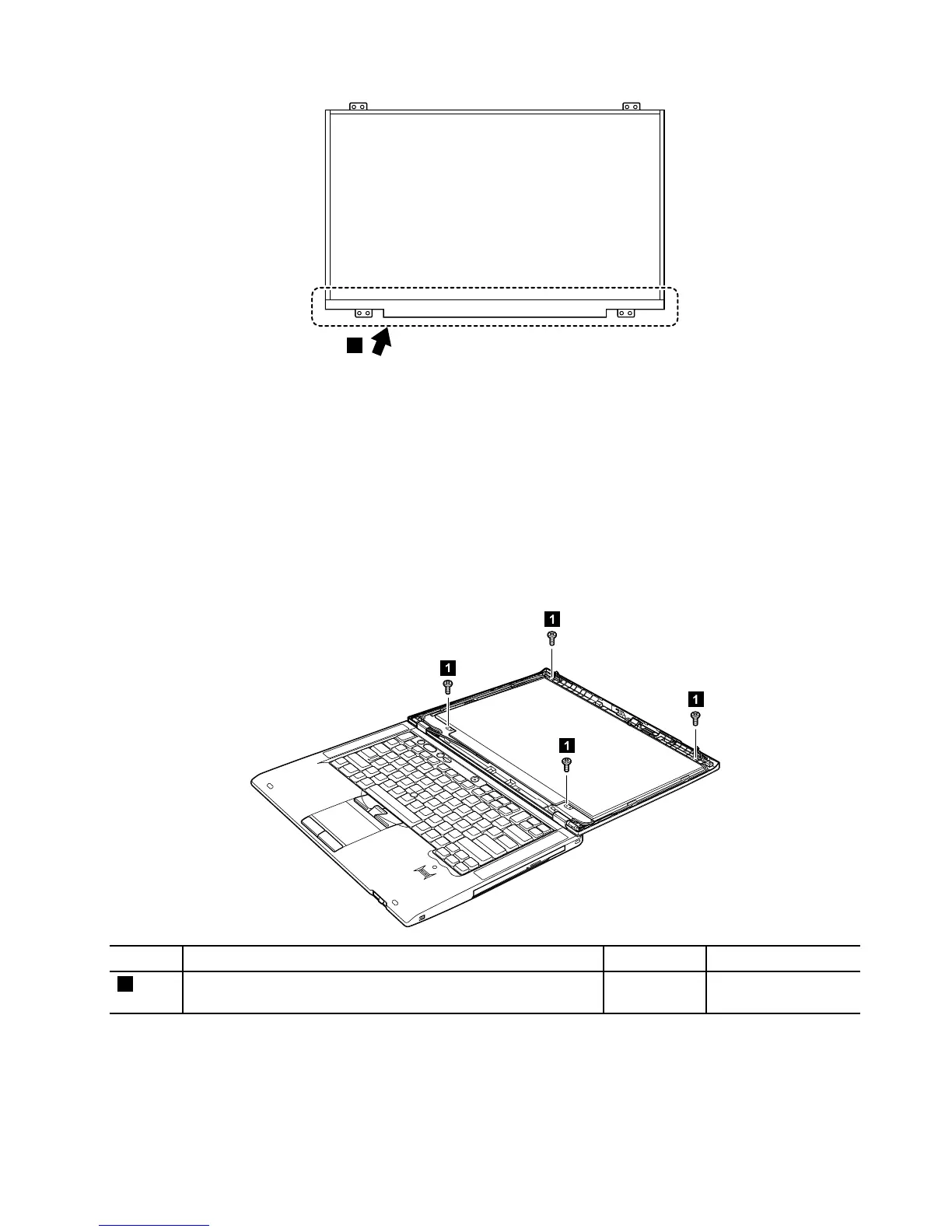
RemovalstepsofLCDpanel
Attention:UnplugtheLCDcablebyholdingtheleftandrightedgesoftheconnectorwithyourfingers,
andgentlypulltheconnectortowardyou.Donotunplugthecablebypullingit.Applyingtensiontothe
cablecouldcausethecabletobedamagedorawiretobebroken.
Wheninstalling:
•PlacetheLCDpanelonasoftandcleansheetspreadonaflattable,andplugthecablebypushingthe
leftandrightedgesoftheconnectorwithyourfingers.
•DonotlifttheLCDpanel.
•Donotplugthecablewithonehand.
StepScrew(quantity)Color
Torque
1
M2×3mm,small-head,nylon-coated(4)Silver
0.181Nm
(1.85kgf-cm)
Chapter8.RemovingandreplacingaFRU103



 To Next Page