Installation
24 25
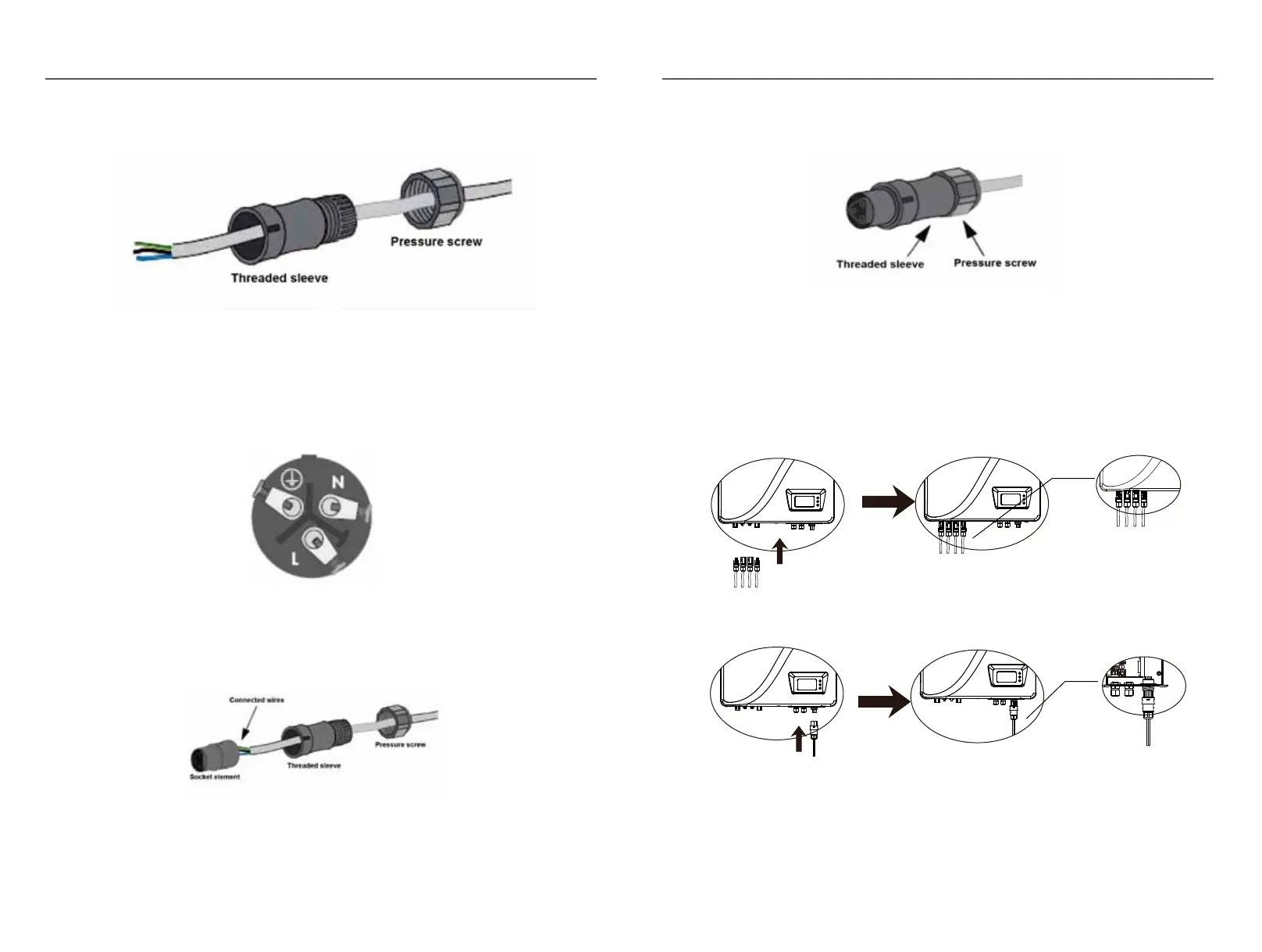
1) Put the threaded sleeve and pressure screw of AC wring terminal and the AC wire.
2) Wire the AC wire refers to below instructions.
Fig.3-34
Fig.3-35
3) Confirm all the wires should be screwed down.
4) Screw down the threaded sleeve and the pressure screw.
5) The AC connection finished.
Fig.3-36
Fig.3-37
3.6.4.3 DC/AC terminal connection:
1) Make sure that the DC/AC breaker is switched off.
2) Insert the DC+/- wiring terminal into corresponding DC+/- terminal.
Fig.3-38
3) Insert the AC wiring terminal into the AC terminal.
4) Switch on the AC breaker.
5) Switch on the DC breaker.
Installation
Screw the green-yellow wire to the ground terminator in the AC Connector
Screw the blue wire to the N(Natural) terminator in the AC Connector.
Screw the brown wire to the L(Line) terminator in the AC Connector.
DC1+ DC1- DC2- DC2+
AC
OUTPUT
DC1+ DC1- DC2- DC2+
AC
OUTPUT
AC
OUTPUT
A1 B2B1 A2
+5V
GND
098-06013-00
710-06013-00
1 9
2
10
CN1
U4
8
5
4
U3
LD2
LAB1
1
J1
ATT
U2
U1
TVS1
R7
R6
R5
R4
R2
R1
LD1
JP2
1
2
JP1
C7
C4
C2
R9
R10
C3
Fig.3-39



 To Next Page