© Third Dimension Confidential Document D13-1604-OP-EN-3.3
V7.5
13
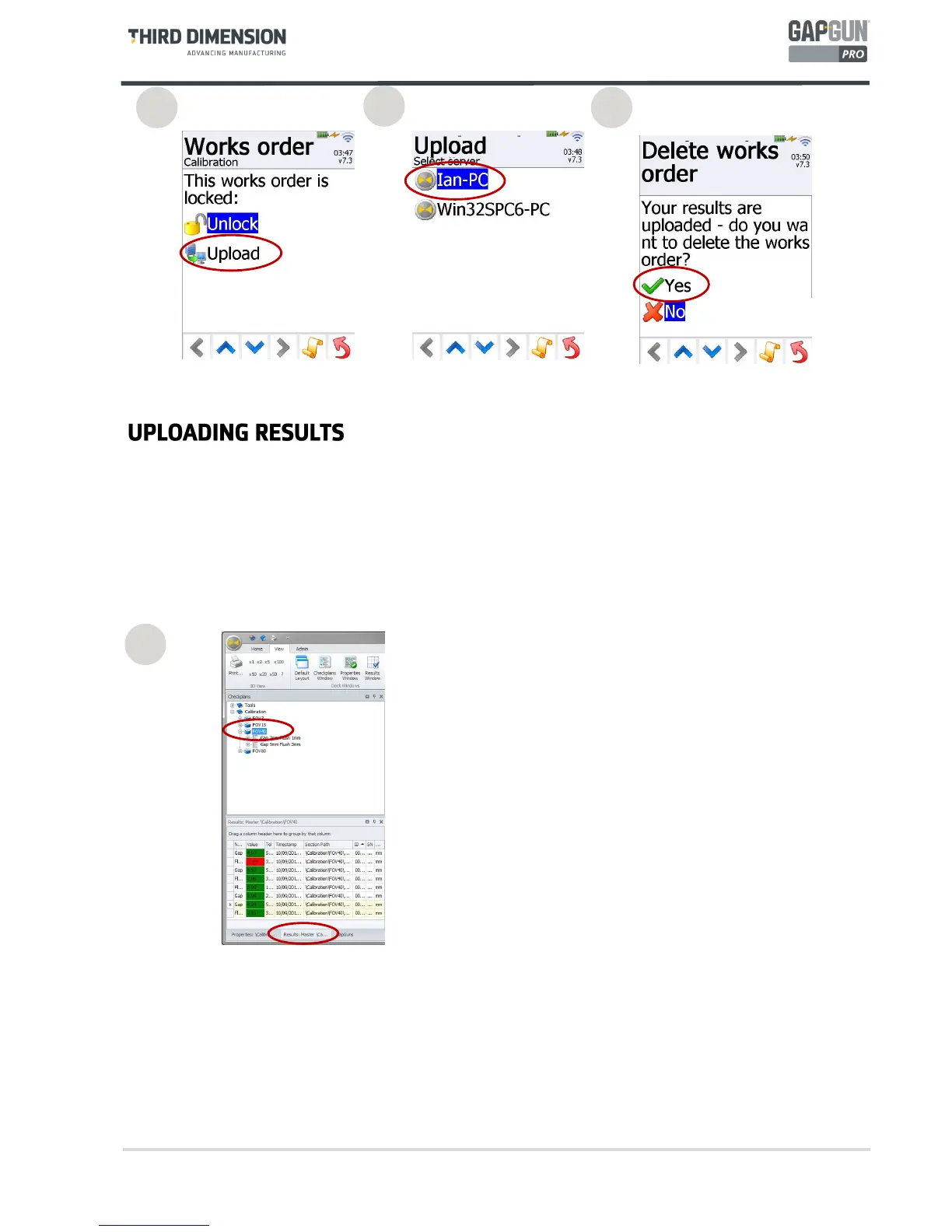
The results from the measurements are displayed in the
Results Tab. Click on the Checkplan, Group or Feature
to see results for that selection.
Measurements that are outside the tolerances are
flagged in red for easy identification.
25. Tap “Upload” to begin uploading. Unlock will allow more results to be added to a locked Checkplan.
26. Select the SPC3D server which supplied the checkplan.
27. When the data has been sent back to SPC3D the Checkplan can be removed from the Works Orders list. Use
Download... to download the next set of Jobs.
28
25
26
27



 To Next Page