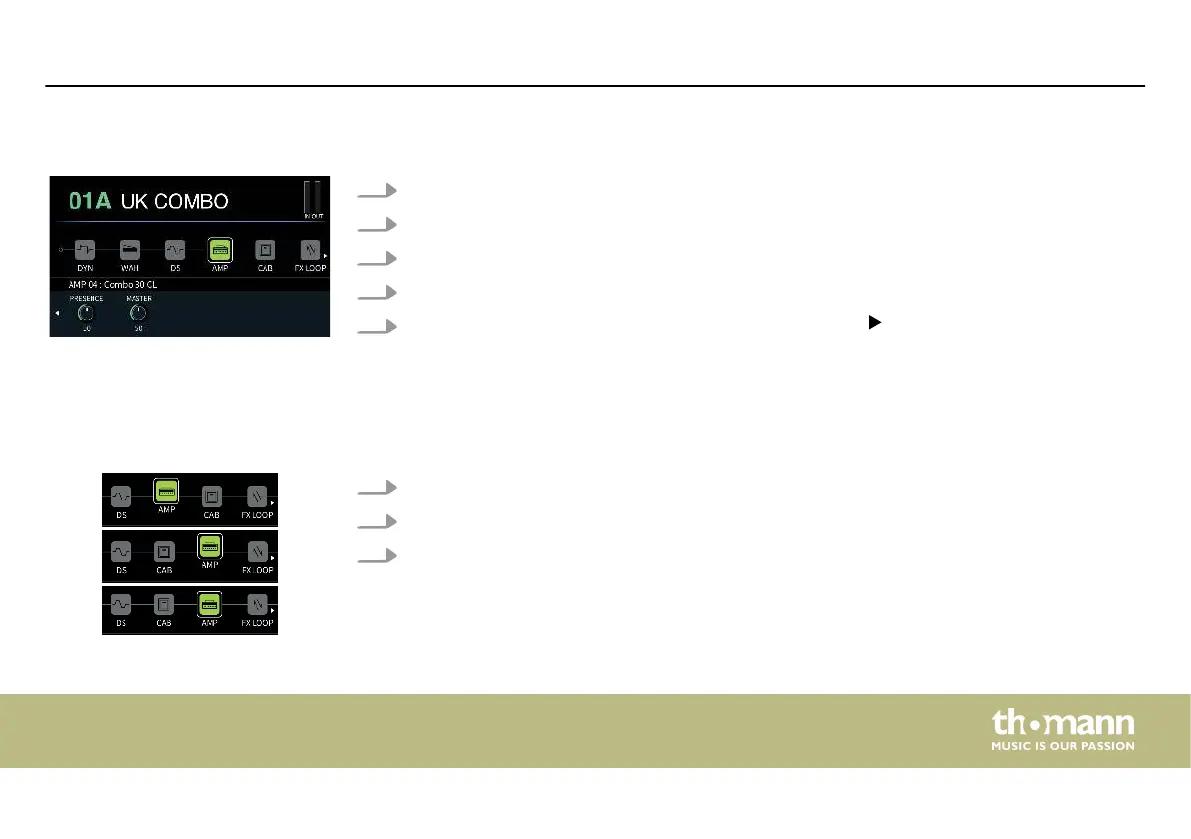
1. Turn [SELECT] to select an eect module.
2. Turn [1] to select the dierent eect types.
3. Turn [2]…[5] to adjust the relevant parameters shown in the parameter area.
4. Press [2]…[5] to reset the current parameter to the default setting.
5.
If an eect module has more than four parameters, use to scroll to the other parame‐
ters. Now even [1] is used for adjusting the parameters.
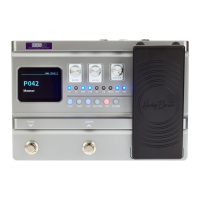
You can move the eect modules to another position in the eects chain.
1. Press and hold [SELECT] for more than 2 seconds to pick up the selected eect module.
2. Turn [SELECT] to move the eect module to the desired position.
3. Press again [SELECT] to conrm the position and drop the eect module.
Editing eects
Move eect modules
Operating
DNAfx GiT Pro
33


 To Next Page