1. Press the footswitch [C] to enable or disable the drum machine.
ð
The LED of the footswitch [C] stays white.
2. Press the footswitch [D] repeatedly to adjust the speed of the drum machine via ‘TAP
TEMPO’ .
ð
The LED of the footswitch [D] ashes according to the current speed of the drum
machine.
3.
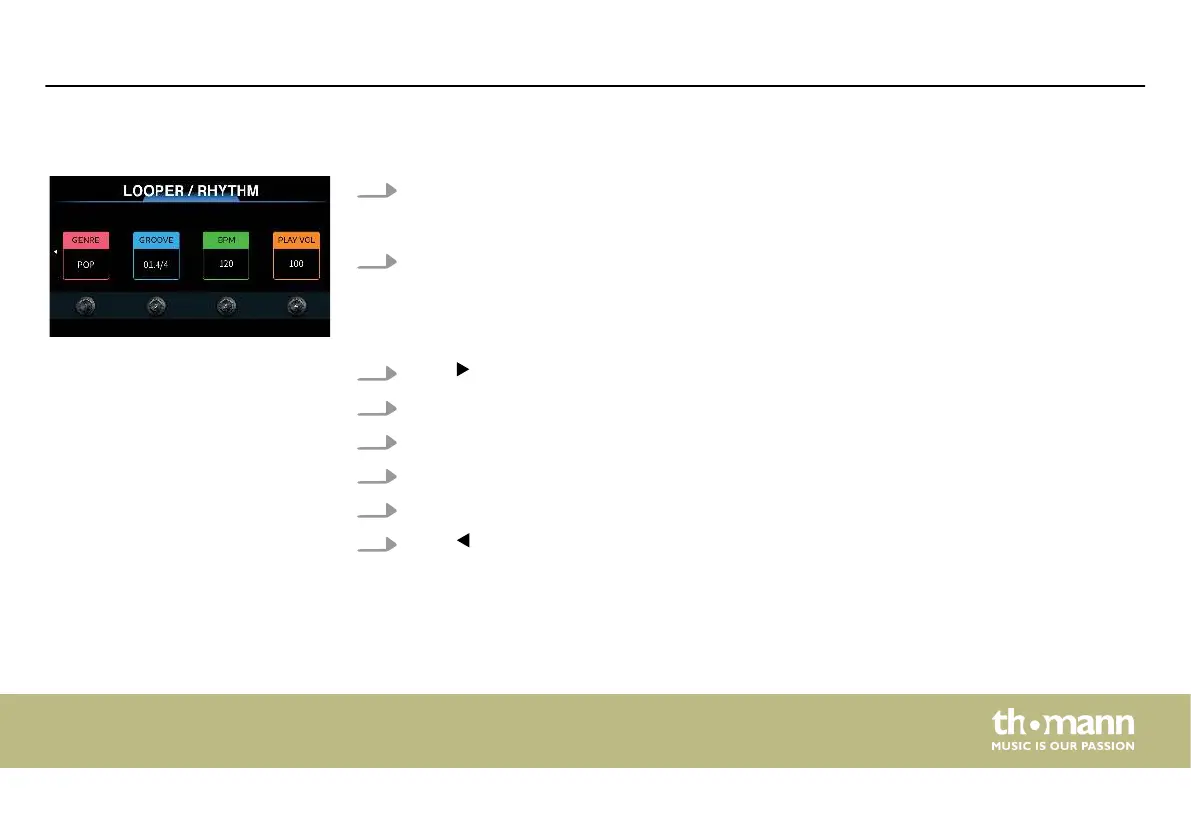
Press to enter the settings menu of the drum machine.
4. Turn [1] to select the genre ( ‘GENRE’ ).
5. Turn [2] to select the drum style ( ‘GROOVE’ ).
6. Turn [3] to adjust the speed ( ‘BPM’ ).
7. Turn [4] to adjust volume level ( ‘PLAY VOL’ ) (default value 100).
8.
Press to return to the ‘LOOPER/RHYTHM’ page.
‘RHYTHM’
Operating
DNAfx GiT Pro
45


 To Next Page