The unit can be used as USB audio interface (24 bit, 44.1 kHz) with support for DAWs in Win‐
dows® and MAC. Windows® users have to install ASIO drivers to achieve low-latency recording
and monitoring. Refer to www.harleybenton.com or our homepage www.thomann.de to down‐
load the ASIO drivers.
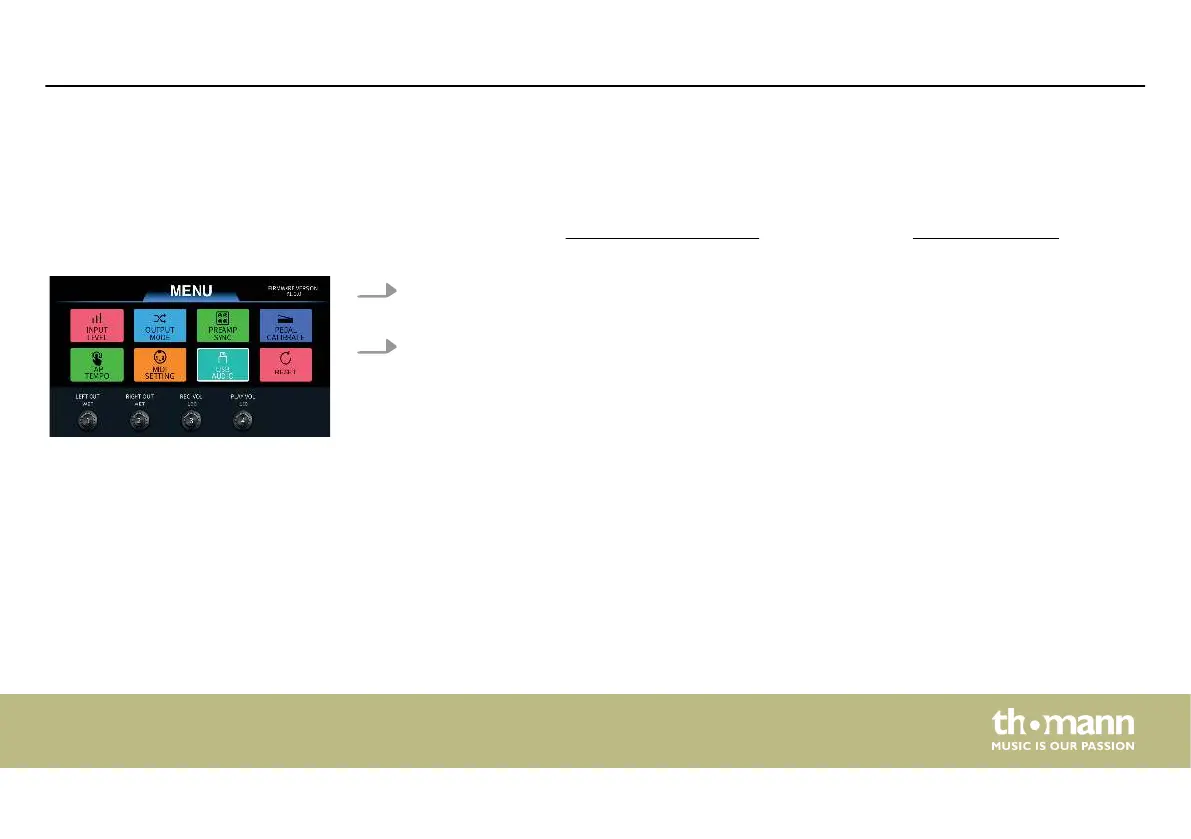
1. Turn [1] and [2] to set the left and the right output to WET (tone with eects) or DRY
(bypass the eects).
2. Turn [3] and [4] to adjust the USB recording volume level ( ‘REC VOL’ ) and the playback
volume level ( ‘PLAY VOL’ ) (default value 50).
‘USB AUDIO’
Operating
DNAfx GiT Pro
63


 To Next Page