EasyManua.ls Logo

Thomas & Betts EZL-100 - User Manual

Thomas & Betts EZL-100
12 pages
Print Icon
To Next Page IconTo Next Page
Loading...
www.tnb.com
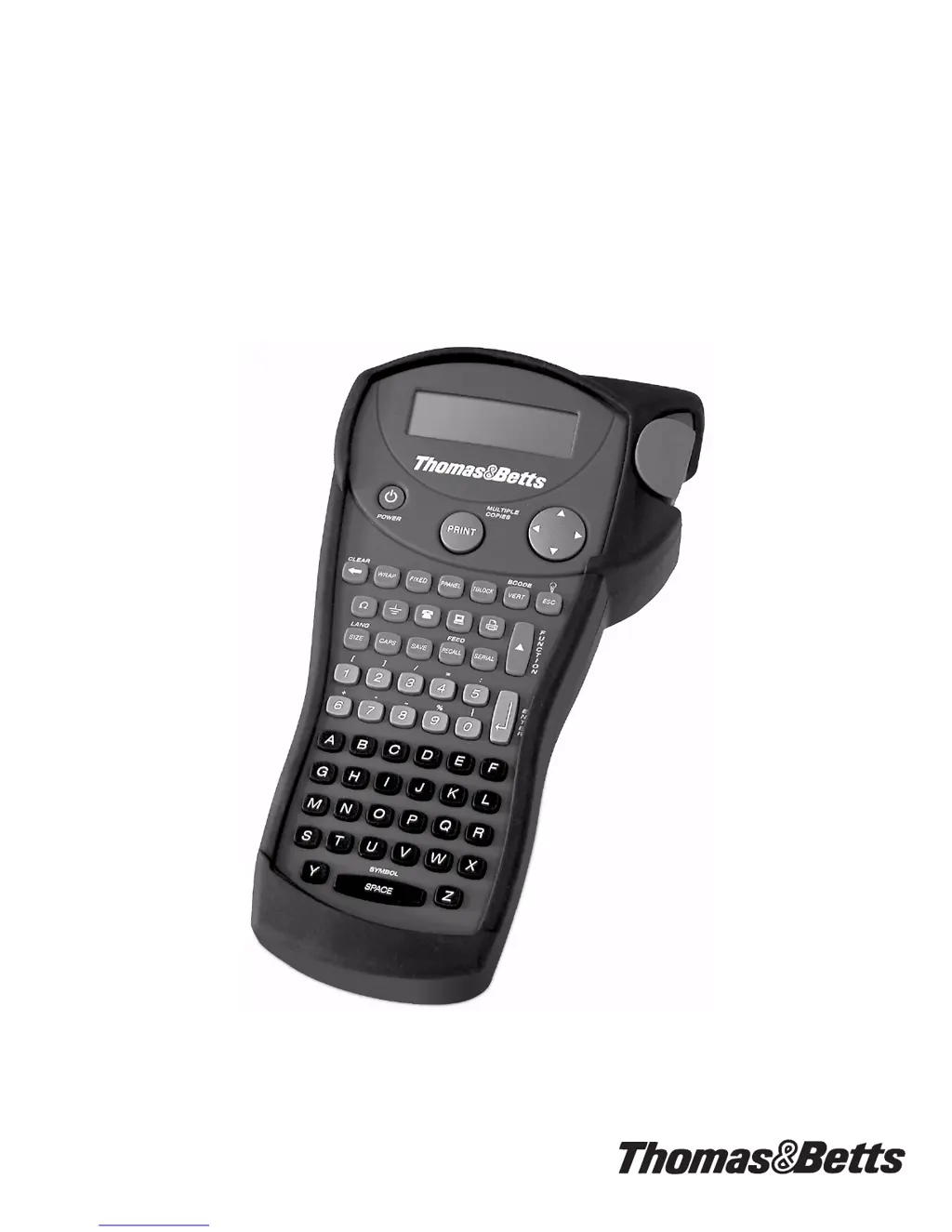
User Guide
French and Spanish versions of the User Guide are available at www.tnb.com.
E
ZL-100
Thermal Label Print
er
ILPLight.fm Page 1 Friday, November 21, 2003 11:43 AM

Questions and Answers

  • M
    mrobertsAug 15, 2025
    What to do if Thomas & Betts EZL-100 shows 'Battery low'?
    • T
      Todd AndersonAug 16, 2025
      If your Thomas & Betts Printer displays 'Battery low', replace the batteries. Alternatively, you can connect an AC power adapter to ensure continuous operation.
  • C
    Cynthia BarnettAug 18, 2025
    How to fix a jammed Thomas & Betts EZL-100 Printer?
    • M
      Michelle WhiteAug 18, 2025
      If your Thomas & Betts Printer is jammed, remove the cassette to clear the tape jam.
  • H
    howejasmineAug 21, 2025
    How to improve print quality on Thomas & Betts EZL-100 Printer?
    • T
      Terri HoweAug 21, 2025
      If your Thomas & Betts Printer is experiencing poor print quality, consider the following: * Replace discharged batteries. * Ensure the tape cassette is installed properly. * Clean the print head. * Replace the tape cassette.
  • S
    Stacy Rios DVMAug 25, 2025
    What to do if Thomas & Betts EZL-100 Printer says 'No tape'?
    • S
      Stephanie Spears DDSAug 26, 2025
      If your Thomas & Betts Printer displays 'No tape', it means the tape cassette is either missing or empty. Insert a new tape cassette to resolve the issue.
  • A
    Amy WallaceAug 28, 2025
    How to resolve a tape jam on Thomas & Betts EZL-100 Printer?
    • W
      William LangAug 28, 2025
      If your Thomas & Betts Printer displays 'Tape Jam' message, it could be due to a stalled motor. Remove the jammed tape and replace the tape cassette. Also, clean the cutter blade.
  • C
    Christopher RodriguezAug 30, 2025
    How to fix a Thomas & Betts EZL-100 Printer with no display?
    • P
      Pamela SmithAug 31, 2025
      If your Thomas & Betts Printer is not displaying anything, ensure the printer is turned on. If it still doesn't work, replace the discharged batteries.
  • R
    Ronald CrossSep 2, 2025
    What causes 'Print failed' error on Thomas & Betts EZL-100?
    • C
      Courtney SantosSep 3, 2025
      If your Thomas & Betts Printer displays 'Print failed' message, it indicates an undetermined printer error. Check for a tape jam, an empty tape cassette, discharged batteries, or other potential issues.
  • J
    James PachecoSep 5, 2025
    How to improve cutter performance on Thomas & Betts Printer?
    • I
      ibellSep 6, 2025
      To improve the cutter performance of your Thomas & Betts Printer, clean the cutter blade.
  • C
    Christopher LewisSep 8, 2025
    What to do if Thomas & Betts EZL-100 says 'Too many lines'?
    • Z
      zlynchSep 8, 2025
      If your Thomas & Betts Printer displays 'Too many lines', select another format.
  • C
    Christina MillerSep 12, 2025
    Why does Thomas & Betts Printer say 'Enter numbers only'?
    • E
      evanschroederSep 12, 2025
      If your Thomas & Betts Printer displays 'Enter numbers only', it means that non-numeric characters were entered in error. Enter only numeric characters for this selection.

Summary

Getting Started

Inserting the Batteries

Steps to insert six AA batteries into the printer for operation.

Inserting the Tape Cassette

Guide on inserting the label tape cassette and setting the correct size switch.

Printer Setup and Basic Operations

Printing Your First Label

Steps to create and print a simple label using the printer.

Printer Overview

Familiarization with printer features, keys, LCD display, and indicators.

Advanced Printing Techniques

Printing Options and Utilities

Printing Barcode Labels

Generating CODE-39 and CODE-128 barcodes on 3/4" label tape.

Maintenance and Support

Serializing Labels

Printing sequential or alphabetical labels numerically or alphabetically.

Cleaning Your Printer

Procedures for cleaning the cutter blade and the print head.

Troubleshooting

Common Problems and Solutions

Solutions for common issues like no display, poor print quality, or tape jams.

Thomas & Betts EZL-100 Specifications

General IconGeneral
BrandThomas & Betts
ModelEZL-100
CategoryPrinter
LanguageEnglish