EasyManua.ls Logo

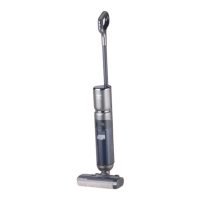
Thomas AQUA FLOOR CLEANER - User Manual

Thomas AQUA FLOOR CLEANER
126 pages
Go to English
Print Icon
To Next Page IconTo Next Page
Loading...
Gebrauchsanleitung · Instructions for Use · Mode d’emploi · Gebruiksaanwijzing · Instrukcja obsługi
Návod k obsluze · Návod na použitie · Használati útmutató · Руководство по эксплуатации
Інструкція з експлуатації · Нұсқаулар
THOMAS FLOOR CLEANER
THOMAS FLOOR CLEANER PLUS

Table of Contents

Question and Answer IconNeed help?

Do you have a question about the Thomas AQUA FLOOR CLEANER and is the answer not in the manual?

Summary

Congratulations

Parts Identification

Intended Use

Safety Instructions

Safety Instructions for Wet Cleaning

Specific safety precautions for using the appliance during wet cleaning operations.

Safety Instructions for Battery and Charger

Guidelines for the safe operation, charging, and handling of the battery and charger.

LED Display

Assembly

Starting Up

Charging the Battery

Instructions for connecting the appliance to the charging base and charging the battery.

Before Starting to Clean

Preparation steps before commencing cleaning, including clearing the floor.

Fill Clean Water Tank

Guidance on properly filling the clean water tank with water or cleaning concentrate.

Operation

Starting to Clean

Steps to begin the cleaning process, including appliance placement and power activation.

Language Selection Button Function

How to activate, set, and confirm the desired language for the appliance.

Start of Cleaning

Technique for moving the appliance during cleaning for effective dirt pickup.

Clean Water Tank Indicator Flashes

Information on what the flashing clean water tank indicator signifies and actions to take.

Waste Water Tank Indicator Flashes

Understanding the waste water tank indicator and troubleshooting common issues.

Cleaning the Appliance

Self-Cleaning

Instructions for activating the self-cleaning mode for internal hygiene.

Maintenance

General care and upkeep for the appliance's exterior and internal components.

Clean the Clean Water Tank

Procedures for emptying and rinsing the clean water tank after use.

Clean the Waste Water Tank

Steps for emptying, cleaning, and reassembling the waste water tank and its cover.

Cleaning the Cleaning Roller Cover

Guidance on cleaning the protective cover for the cleaning roller.

Cleaning the Cleaning Roller

Detailed instructions for removing, cleaning, and reinstalling the cleaning roller.

Storage

Information on Disposal

Packaging

Information regarding the proper disposal and recyclability of the product packaging.

Used Appliances and Batteries

Guidance on the responsible disposal of the appliance and its rechargeable battery.

Safe Methods of Disposal for the Used Battery

Procedures for safely removing and disposing of the appliance's battery.

Procedure for Removing the Battery

Step-by-step instructions for safely detaching the battery from the appliance.

Customer Service

Technical Data

Warranty

Troubleshooting

After Sales Service Addresses

Summary

Congratulations

Parts Identification

Intended Use

Safety Instructions

Safety Instructions for Wet Cleaning

Specific safety precautions for using the appliance during wet cleaning operations.

Safety Instructions for Battery and Charger

Guidelines for the safe operation, charging, and handling of the battery and charger.

LED Display

Assembly

Starting Up

Charging the Battery

Instructions for connecting the appliance to the charging base and charging the battery.

Before Starting to Clean

Preparation steps before commencing cleaning, including clearing the floor.

Fill Clean Water Tank

Guidance on properly filling the clean water tank with water or cleaning concentrate.

Operation

Starting to Clean

Steps to begin the cleaning process, including appliance placement and power activation.

Language Selection Button Function

How to activate, set, and confirm the desired language for the appliance.

Start of Cleaning

Technique for moving the appliance during cleaning for effective dirt pickup.

Clean Water Tank Indicator Flashes

Information on what the flashing clean water tank indicator signifies and actions to take.

Waste Water Tank Indicator Flashes

Understanding the waste water tank indicator and troubleshooting common issues.

Cleaning the Appliance

Self-Cleaning

Instructions for activating the self-cleaning mode for internal hygiene.

Maintenance

General care and upkeep for the appliance's exterior and internal components.

Clean the Clean Water Tank

Procedures for emptying and rinsing the clean water tank after use.

Clean the Waste Water Tank

Steps for emptying, cleaning, and reassembling the waste water tank and its cover.

Cleaning the Cleaning Roller Cover

Guidance on cleaning the protective cover for the cleaning roller.

Cleaning the Cleaning Roller

Detailed instructions for removing, cleaning, and reinstalling the cleaning roller.

Storage

Information on Disposal

Packaging

Information regarding the proper disposal and recyclability of the product packaging.

Used Appliances and Batteries

Guidance on the responsible disposal of the appliance and its rechargeable battery.

Safe Methods of Disposal for the Used Battery

Procedures for safely removing and disposing of the appliance's battery.

Procedure for Removing the Battery

Step-by-step instructions for safely detaching the battery from the appliance.

Customer Service

Technical Data

Warranty

Troubleshooting

After Sales Service Addresses

Thomas AQUA FLOOR CLEANER Specifications

General IconGeneral
BrandThomas
ModelAQUA FLOOR CLEANER
CategoryCleaning Equipment
LanguageEnglish

Related product manuals