
 Need help?
Do you have a question about the Thompson ViBE EM4000 and is the answer not in the manual?
Provides a general description of the encoder and its key features, including inputs, outputs, and video capabilities.
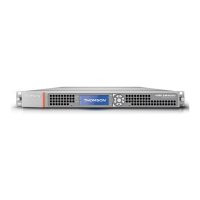
Details the physical aspects of the encoder, including its chassis, front panel, and rear panel layout.
Lists the accessories shipped with the device and provides instructions for checking the order's completeness.
Outlines the sequential steps required for initial device installation and configuration.
Details requirements and precautions for installing the device in a 19" rack, focusing on ventilation and safety.
Guides the user through initial configuration steps, including accessing the local console and setting parameters.
Provides instructions on how to connect the necessary signal cables to the device's rear panel.
Provides an overview of the front panel components like the LCD, keypad, and status LEDs, and their functions.
Explains the menu structure, screen functions, and how to navigate through the device's front panel interface.
Covers protocol usage and compatible web browsers, along with necessary browser settings for optimal operation.
Details how to establish a connection between a PC and the encoder via the web interface to access the Graphical User Interface.
Provides a step-by-step guide for rapidly configuring the encoder for basic use.
Describes the general layout of the web interface pages, including the menu bar, header, and footer.
Covers the procedures for configuring various encoder parameters, including TS output, network interfaces, and streams.
Explains how to manage predefined configurations stored in the device or on disk, including saving, recalling, and deleting them.
Details maintenance operations such as rebooting the encoder and managing its identification and settings.
Explains how to access and use the Local Console application for device servicing and management.
Guides on displaying, ordering, installing, and uninstalling software options via the Local Console.
Covers user management for the web interface, including creation, deletion, and profile assignment.
Introduces the download application used for upgrading device firmware and managing software releases.
Details the step-by-step process for declaring devices, selecting files, and performing upgrades or downloads.
Provides specifications related to electrical requirements, power supply, and mechanical features of the device.
Details the specifications for input and output interfaces, including SDI, Ethernet, and IP adaptation.
Describes various features of the encoder, such as MPEG system layer, HD video encoding, audio processing, and VBI processing.
Lists available hardware and software options, including audio encoding and Flextream options.
Outlines the various TV and broadcast standards the device complies with.
Lists the certifications and environmental compliance relevant to the device's design and operation.
Presents the official EU declaration of conformity for the product.
Provides the RoHS declaration of conformity, indicating compliance with hazardous substance restrictions.
Lists commercial codes, part numbers, and descriptions for ordering the device and its options.
Provides a summary of critical safety terms, symbols, and warnings applicable to the product.
Highlights critical safety instructions related to mains power, rack mounting, and operating environments to prevent severe hazards.
Lists cautionary statements to prevent damage to equipment or property due to incorrect usage or conditions.
Details compliance with FCC regulations for Class A digital devices and potential radio frequency interference.
States compliance with Canadian regulations regarding radio noise emissions from digital apparatus.
Provides requirements and safety information related to the Class 1 laser product used in the device.
Provides international call center numbers and email for product and customer service support.
Details the warranty period for the product and software, including terms and conditions.
Outlines the process and requirements for returning equipment for repair or service.
Lists alarms that can be displayed on the encoder, including diagnostics, actions, and severity.
 General
| Brand | Thompson |
|---|---|
| Model | ViBE EM4000 |
| Category | Media Converter |
| Language | English |

 To Next Page