GB
VL
PR
EURO DKK’
VL
PR
EURO
VL
PR
EURO
7
Manual Channel Setting
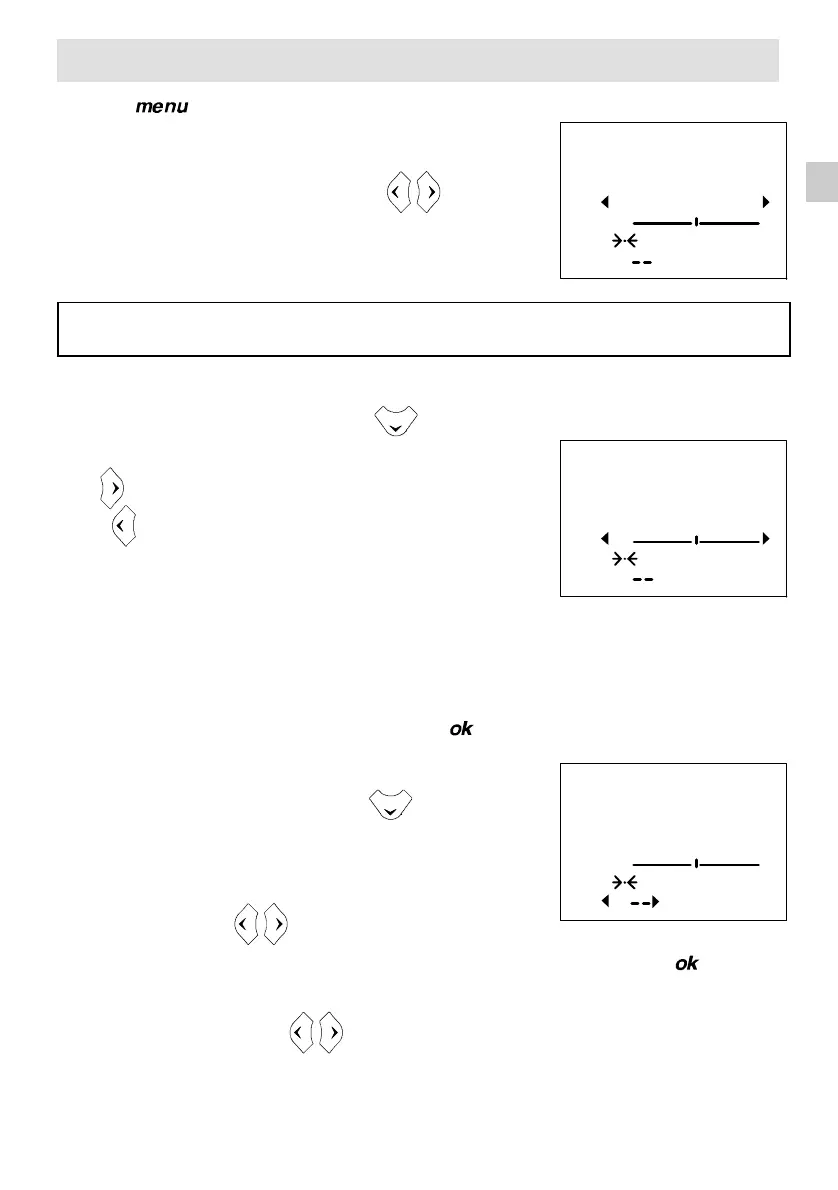
Press the button twice to call up the channel setting menu.
1. Selecting the Broadcasting Standard
Select the broadcasting standard using the buttons.
EURO
Western Europe, Tunisia, Morocco (B,G standards)
DK Eastern Europe, Middle East, Africa, French Territories (D,K,K’ standards)
2. Channel Search
Select the 2nd line of the menu using the button.
Start the search by pressing:
– the button for a forward search,
– the button for a backward search.
The search fully covers the VL, VH and U bands starting
from the channel on the screen. The cursor moves and
as soon as a channel is found, the picture appears on
the screen.
Wait for the menu to go to the bottom of the screen for optimum reception.
If the picture corresponds to the channel required, go to the 4th line (PR), otherwise
continue the search.
If you wish to stop the automatic search, press the button.
3. Programme Number and Storing in Memory
Select the 4th line of the menu using the button.
If fine tuning is necessary, see Fine Tuning
Enter a programme number using the numerical buttons of the
remote control.
You can also use the
buttons
.
Store the programme number you have allocated to the channel by pressing the button.
The 2nd line of the menu is then selected again.
Restart the search using
the buttons
.
To search for channels in another broadcasting standard, repeat the above operations from
SELECTING THE BROADCASTING STANDARD.


 To Next Page