LCDM61NF21(MT02+DE200) Factory Alignment Specification
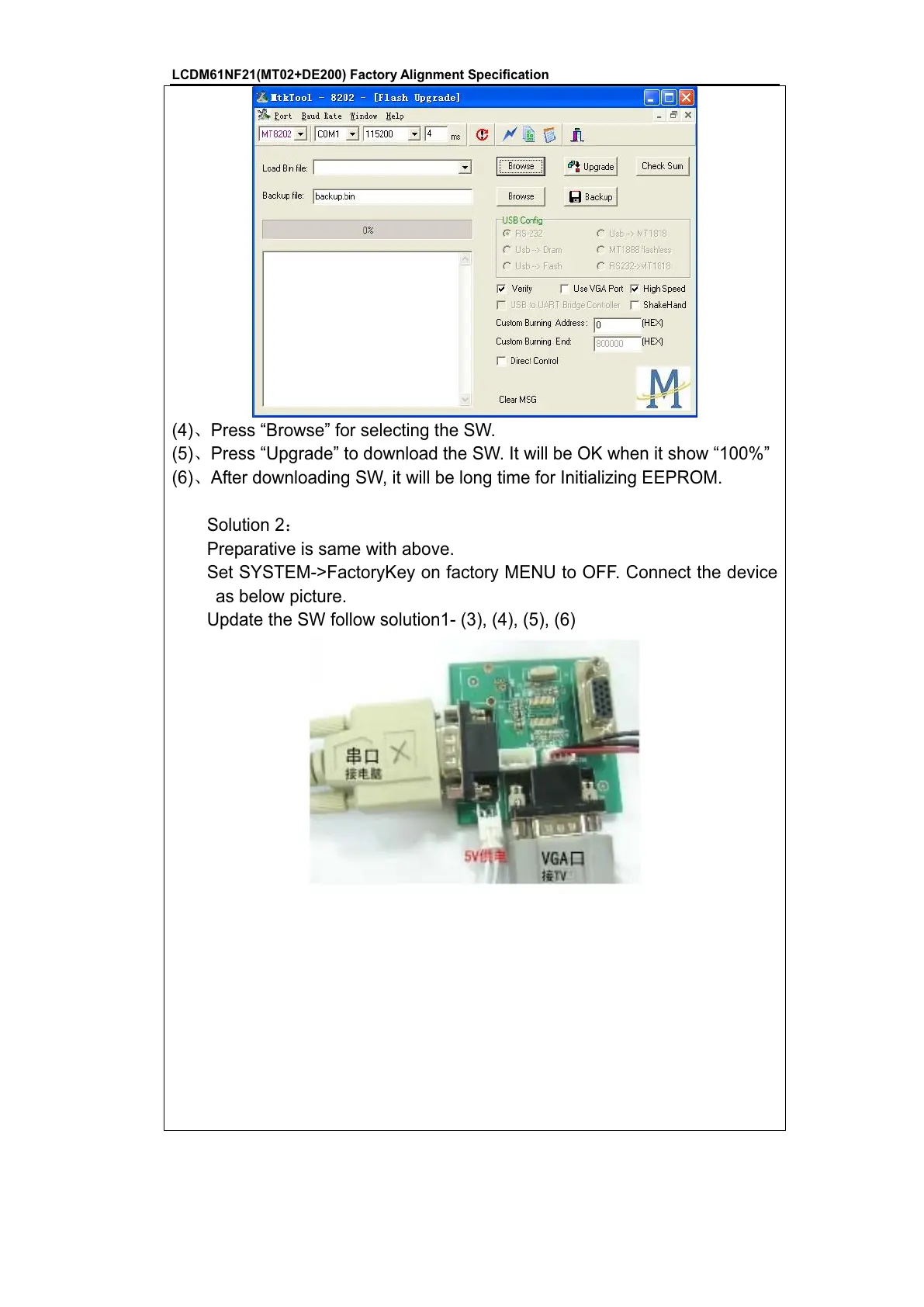
(4)ǃPress “Browse” for selecting the SW.
(5)ǃPress “Upgrade” to download the SW. It will be OK when it show “100%”
(6)ǃAfter downloading SW, it will be long time for Initializing EEPROM.
Solution 2˖
Preparative is same with above.
Set SYSTEM->FactoryKey on factory MENU to OFF. Connect the device
as below picture.
Update the SW follow solution1- (3), (4), (5), (6)









 To Next Page