44 Operating manual
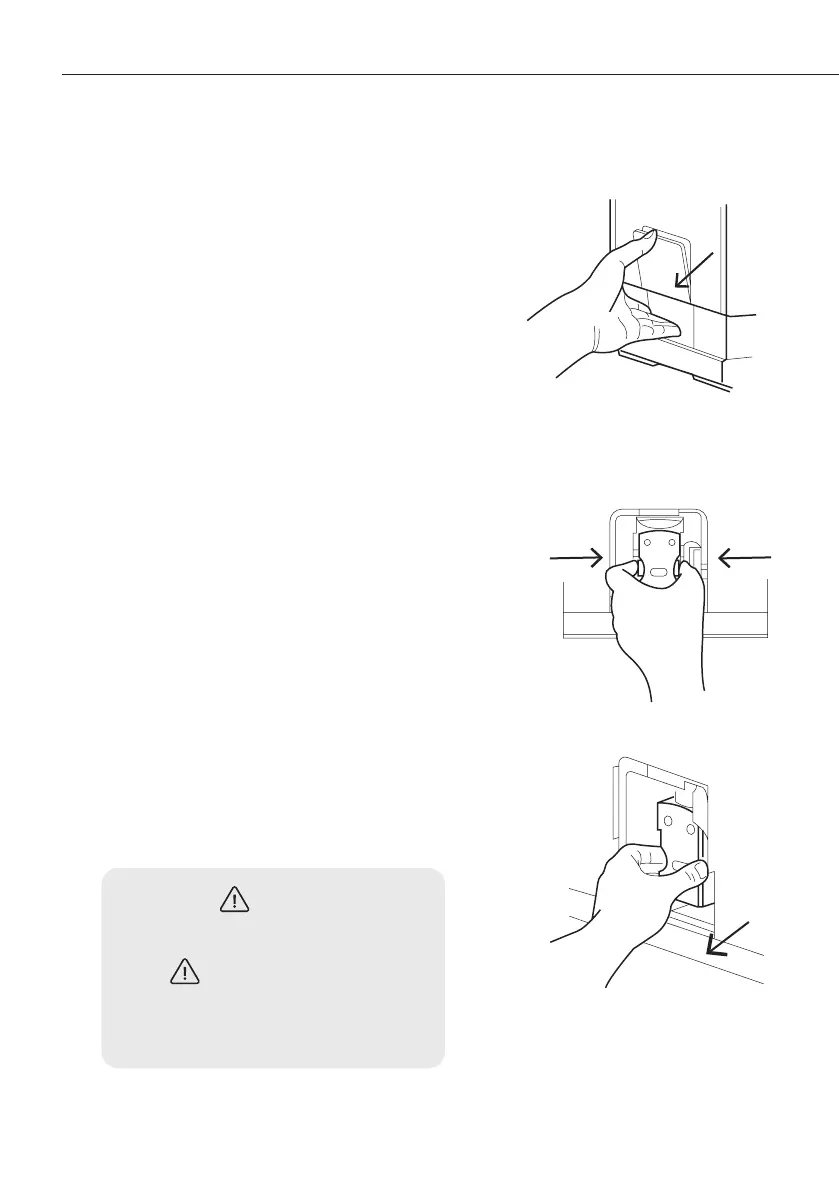
5. Pull down the service door and
remove it. (figure 1)
6. Press the unlock buttons. (figure 2)
7. Remove the brewing unit. Rinse the
brewing unit with fresh water. Then
dry it. (figure 3)
8. Return the brewing unit to its original
position and return the service door
to its original position.
Note: When is lit constantly, it
means that the brewing unit is missing
or installed incorrectly.
When indicator flashes, it means
that the service door is missing or
installed incorrectly.
(figure 1)
(figure 2)
(figure 3)


 To Next Page