- EN 3 -
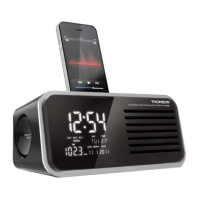
Description of Parts
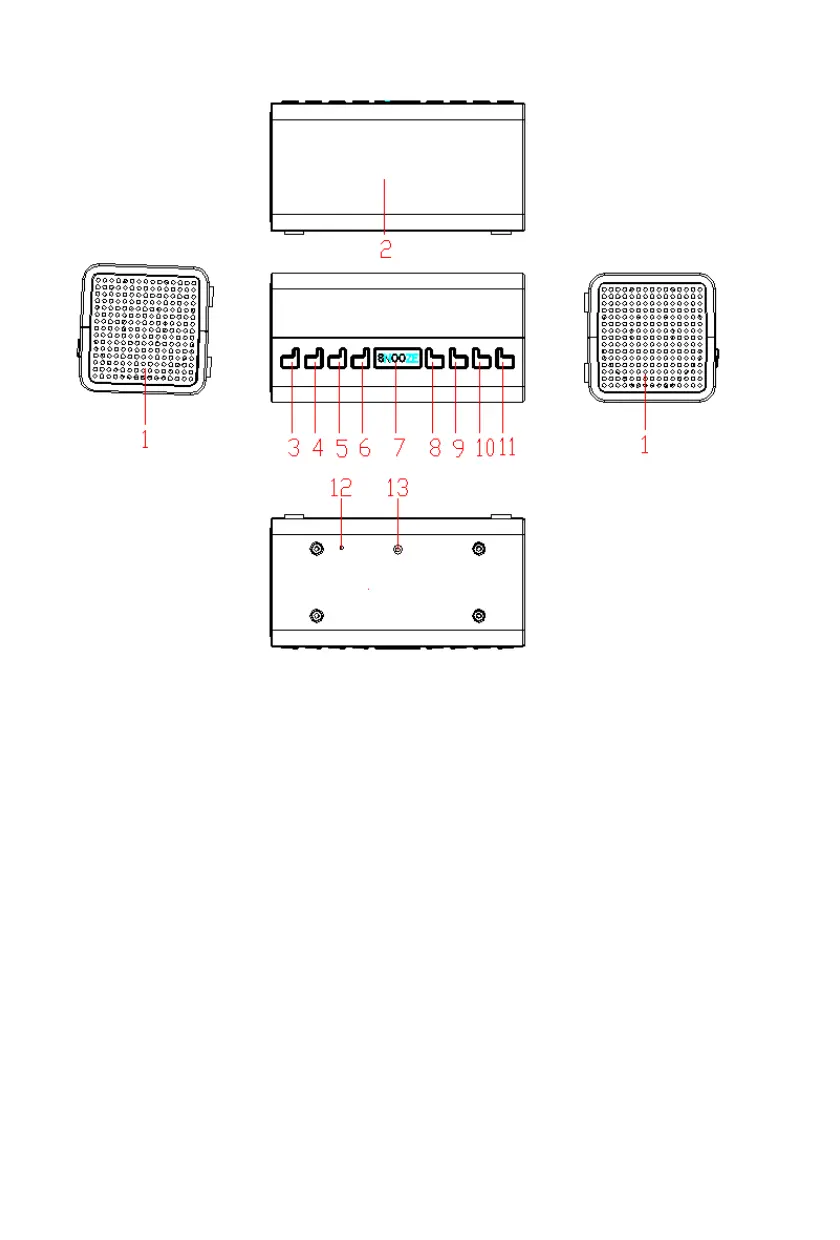
1) SPEAKER
2) LCD DISPLAY
3) STANDBY/MODE BUTTON
4) VOLUME-/AL.1 BUTTON
5) VOLUME+/AL.2 BUTTON
6) MENU/INFO BUTTON
7) SNOOZE/SLEEP BUTTON
8) PRESET BUTTON
9) TUNING- (<<) BUTTON
10) TUNING+ (>>) BUTTON
11) SELECT BUTTON
12) FM WIRE ANTENNA
13) DC JACK
Power supply
Operating the unit on ac power
Insert one end of the supplied power cord to the 5V DC-IN Jack located at the rear of the unit and the
other end into the wall socket.
When used for the rst time the cord has to be rmly pushed into the socket. If it does not work on AC,
try again to be sure of a positive connection
Operation
Press the STANDBY/MODE button to turn ON the unit. Press and hold it for 2 seconds to turn OFF
the unit.
Adjusting the volume
Press the VOLUME- button to decrease the volume.
Press the VOLUME+ button to increase the volume. When you adjust the volume, please check the
display which will conrm the volume setting.



 To Next Page