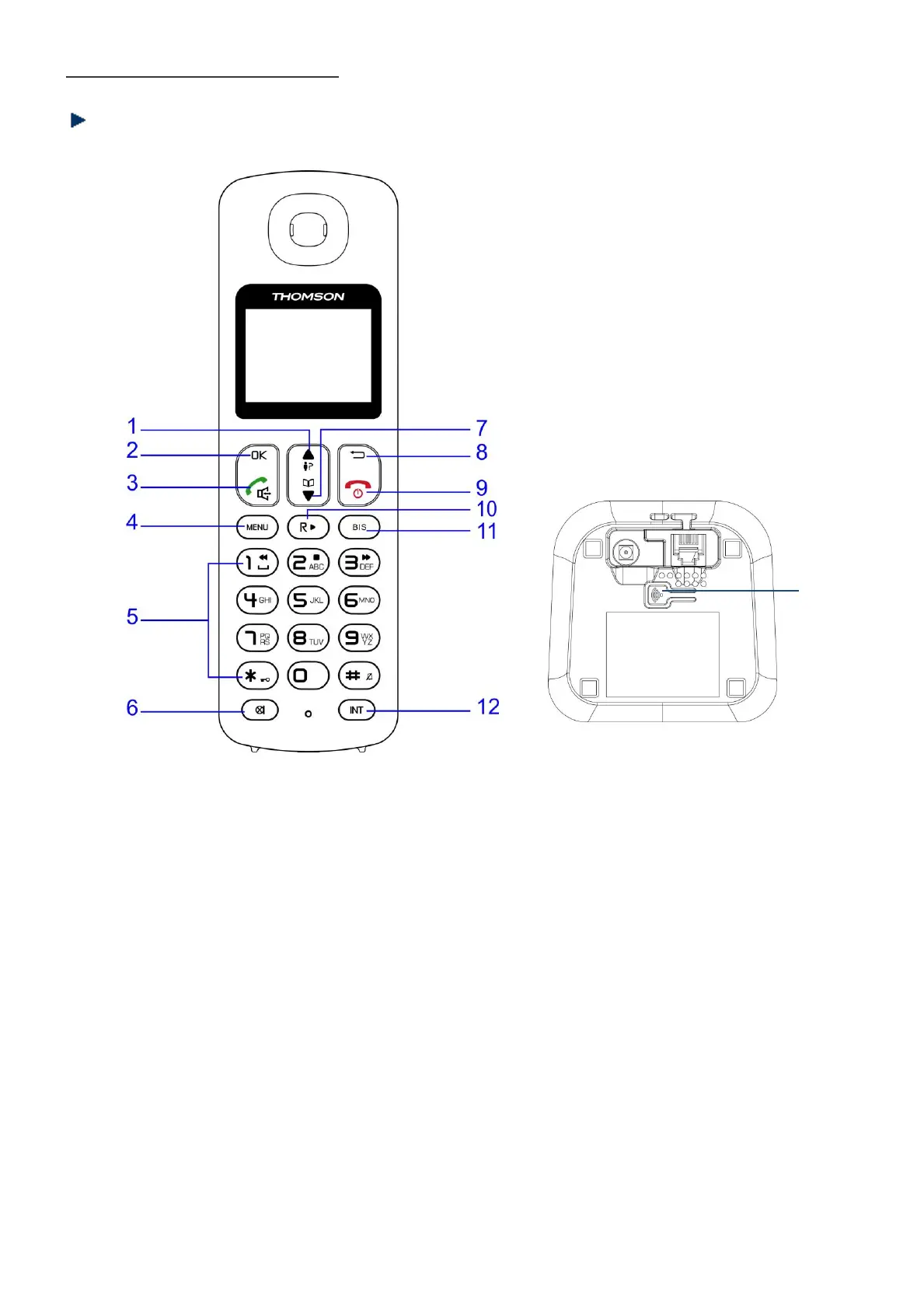
Getting to know your phone
Buttons
1. UP/INCOMING
In standby mode, press to enter the incoming call list.
Scroll up through menu options, call lists and phonebook entries.
During a call, press this button to increase the earpiece volume.
2. OK
Press to select menu options and to confirm a displayed option.
3. TALK / HANDSFREE
Press to dial, to answer a call and press twice to use the handsfree function.
10. R-FLASH / PLAY MESSAGE



 To Next Page