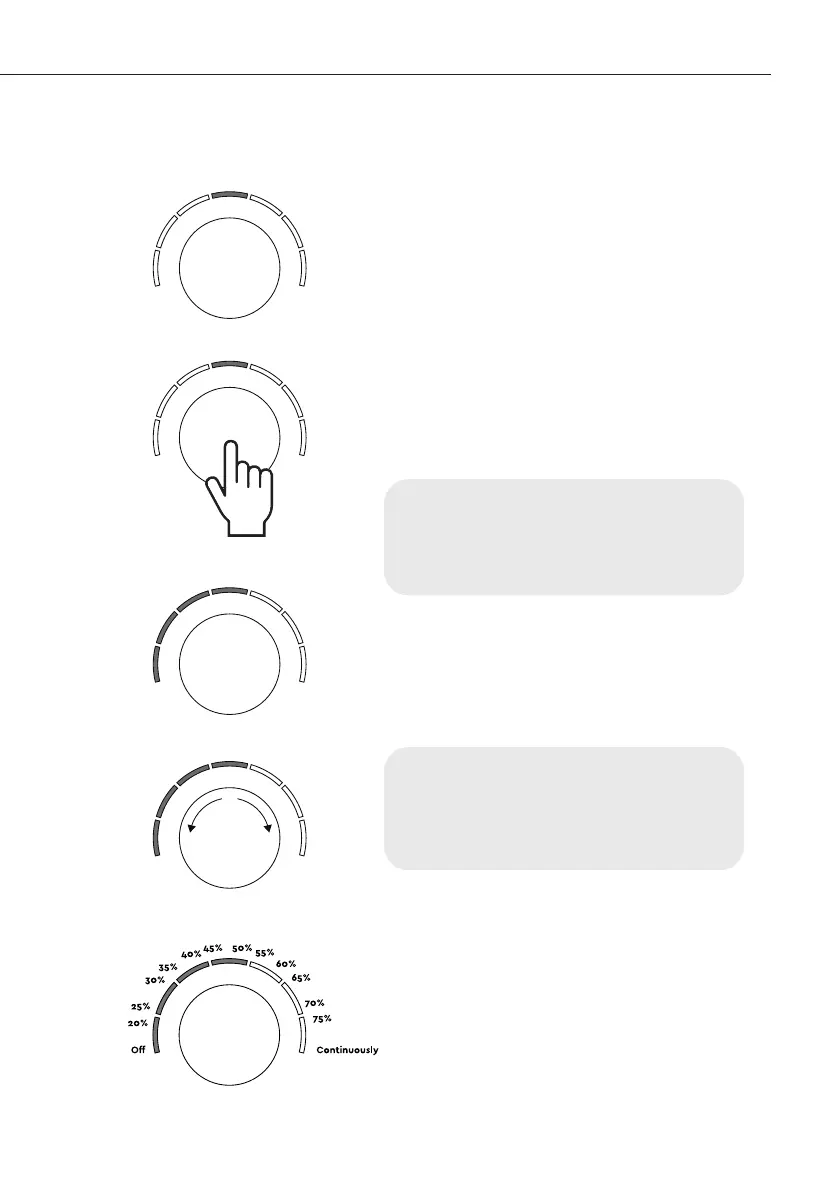
Turning on the appliance and setting the air purification speed
(fig. 1)
(fig. 2)
(fig. 3)
(fig. 4)
Important. When switching the
appliance on for the first time, the air
purification speed will be automatically
set to 50%.
Important. A green indicator will light
up five seconds after the last action,
showing the current humidity level.
(fig. 5)
(fig. 5)
4. Make sure the appliance is
connected to a power source and
the top indicator is flashing red.
(fig. 1)
5. Press and hold the control knob
for three seconds. (fig. 2) The
appliance will turn on and start
working, the indicators will light up
blue, informing about the current air
purification speed. (fig. 3)
6. To adjust the air purification
speed, turn the knob clockwise (to
increase it) or counterclockwise (to
decrease it) while looking at the
indicators. (fig. 4).
33Air complex


 To Next Page