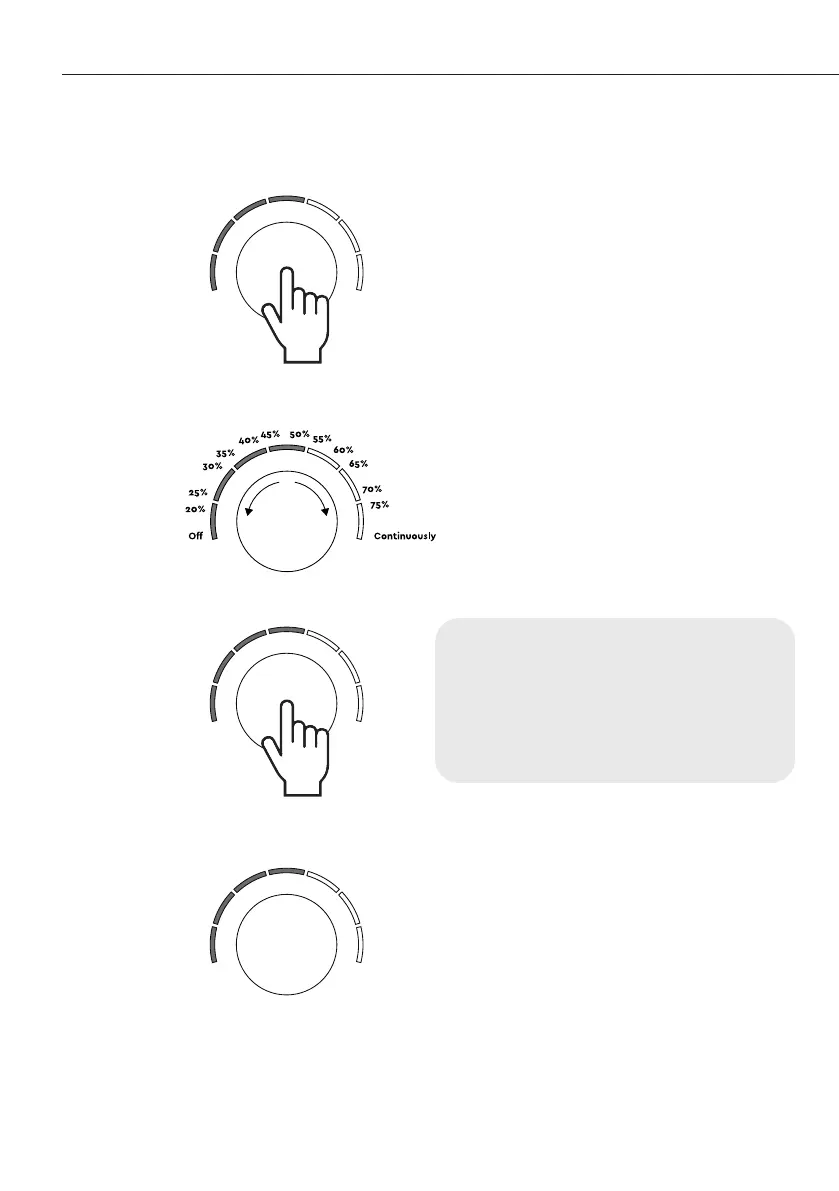
1. Press the knob once to switch to
the humidity level presetting mode.
The indicators will light up green to
show the current preset humidity
level. (fig. 1)
2. To preset the required humidity
level, turn the knob clockwise (to
increase it) or counterclockwise (to
decrease it) while looking at the
indicators. (fig. 2)
3. To switch back to the air
purification speed adjustment
mode, press the knob once. (fig. 3)
Presetting the humidity level
(fig. 1)
(fig. 3)
(fig. 2)
Important. The appliance will
automatically switch to air purification
speed adjustment mode five seconds
after the last action (Fig. 4).
(fig. 4)
34 User manual


 To Next Page