5
Remark: Please note that the unit can only read FAT32 format USB drives with less than 32GB.
AUX-IN
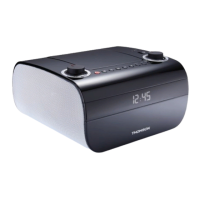
Plug one end of the 3.5 mm audio cable (included) into the Aux-in jack (1) on the top of the unit and the other
end into the line-out jack or headphone jack of an external audio source to be able to listen through that
system’s speakers.
While using the Aux-in function, the CD player will not work.
BASS BOOST
Press the Bass Boost button (12) once to set in to the ON position (DBBS will be displayed) to enjoy a sound
with more powerful bass.
Note: When the re is no sound output for about 30 minutes in CD, USB or AUX mode, the unit will
automatically switch to standby mode to save energy . It can be turned on again by using the AUX/ CD/ USB/
TUNER Function button.
SPECIFICATIONS
Power supply: AC 230V ~ 50Hz
Power consumption: 13W
Radio frequency coverage: FM 87.5 – 108 MHz
Don’t discard electrical and electronic appliances with regular waste.
•
Take them to an official collection point.
•
Some components ma
be hazardous to health and the environment.
Imported by BIGBEN INTERACTIVE SA
396, Rue de la Voyette
CRT2 - FRETIN
CS 90414
59814 LESQUIN Cedex - France
www.bigben.eu
Made in China
THOMSON is a trademark of TECHNICOLOR SA or its affiliates and is used under license by Bigben Interactive.


 To Next Page