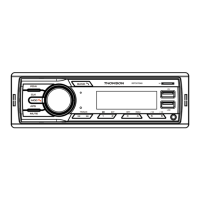
RDT507DAB
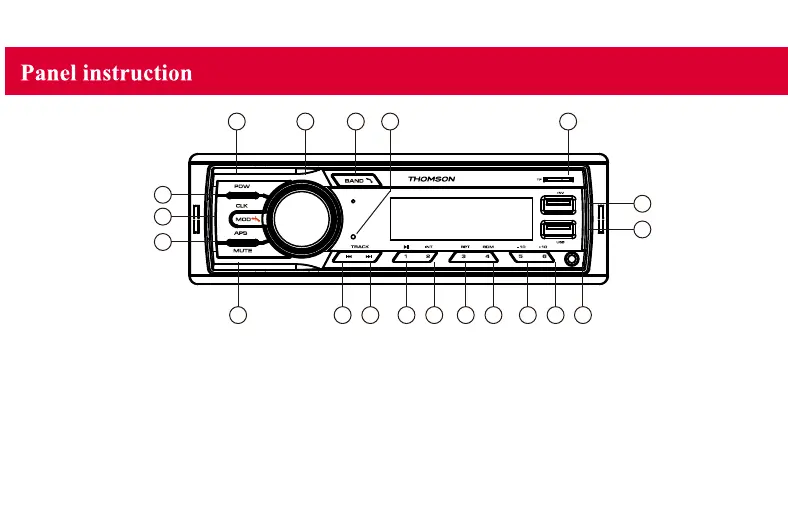
1 3 4 20 18
17
16
87
6
2
5
9 10 11 12 13 14 15 19
1.POW: Press it for power ON/OFF.
2. MODE: Press to switch modes. During Bluetooth mode, press it to make a phone call.
3. Multi-function buttons
3.1. Rotate the button to adjust the volume.
3.2. Short press the button time to time, it will show BAS, TRE, BAL, FAD, EQ (ROCK, POP...), LOUND ON/OFF,
Rotate the volume to show the option, then enter the button to confirm your setting.
3.3 RDS radio setting: Long press the button time to time, it will show AF, TA, PTY(Program name). Rotate the button to show the option,
then enter the button to confirm your setting.


 To Next Page