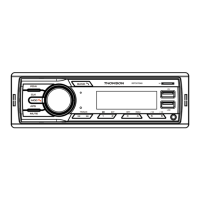
4. BAND: When it is in radio mode,press it to choose radio band ( FM1/FM2/FM3); During Bluetooth mode,press it to answer the call.
5. APS: On USB/SD playback, press it for tracks selection. Rotate volume control to choose the track number you like. In radio mode, short press
it to manually search radio stations. Long press to automatically search radio stations.
6.CLK: Press to show and set time.(Rotate number 3 button to set the time)
7. MUTE: Press it for mute ON/OFF
8. Press it for previous track.
9. Press it for next track.
10. Number“1":When in radio mode, long press it for station storage. On playback, short press it for pause.
11. Number“2":When in radio mode, long press it for station storage. On playback, short press it for tracks browse.
12. Number“3": When it is on radio mode, long press it for station storage. When it is on playing mode, short press it for repeat playing.
13. Number“4" : When in radio mode,long press it for station storage. On playback, short press it random playing.
14. Number“5”: When in radio mode, long press it for station storage. On playback, short press it for“"-10"track.
15. Number“6" : When in radio mode, long press it for station storage. On playback, short press it for“+10"track.
16. USB playing
17.Charge slot.
18.TF card slot .
19. AUX slot.
20. Reset


 To Next Page