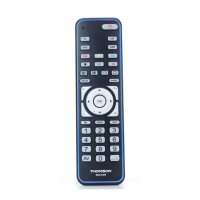
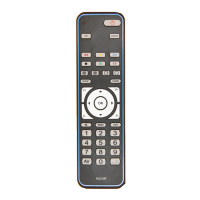
1
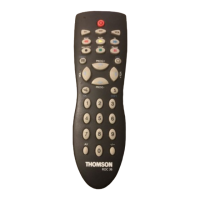
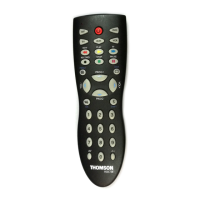
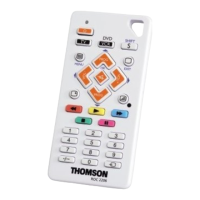
Indicator lamp: the red indicator lamp lights up when any key is pressed.
Product keys (TV, VCR, SAT or DVD): Used to programme and control different products (TV,
satellite receiver, video recorder, DVD player and so on).
G (REW): Goes backward or advances forward (VCR
S and DVDS); press with red key for fast text
function in TV mode.
RECORD: To record, press the RECORD key twice.
STOP: Stops VCR tape advance; in DVD mode, stops disc play; press with green key for fast text
function in TV mode.
a/MENU: Teletext On/Off in TV mode; turns on the menu of the selected products (SHIFT + MENU).
VOL -, VOL +: Increases (+) or decreases (-) the volume of the TV set; use to scroll horizontally in
any menu (SHIFT + VOL+/-).
/OK: Switches the TV sound off or confirms a selection (SHIFT + ).
Number keys 0 to 9: these keys have the same functions as those of your original remote and are
also used to enter the codes for different products.
AV: For selecting an external source (SCART).
BB
: On/Standby.
F (FF) : fast forward for VCR
S and DVDS; press with blue key for fast text function in TV mode.
B (PLAY): plays a VCR tape or DVD disk; press with yellow key for fast text function in TV mode.
K (PAUSE): Suspends play and stops on an image; press with magenta key for fast text function in
TV mode.
I/EXIT: Teletext Off in TV mode; turns off the menu of the selected product (SHIFT + EXIT).
PROG+/-: Programmes zapping button (rapid select); use to scroll vertically through menus (SHIFT +
PROG+/-).
S/SHIFT: Programmes the remote control (S) or activates the secondary key features (SHIFT).
3: Press this key first before you type in the 2-digit channel number (except for Thomson group
products).
18
17
16
15
14
13
12
11
10
9
8
7
6
5
4
3
2
1
This Universal Remote Control is compatible with most models of infrared-controlled TV sets,
video recorders, DVD players, satellite and cable TV receivers.
This remote control has already been programmed so that you can use it to control most of the
audio/video products made by the THOMSON group. Before attempting to programme the
remote control, install 2 batteries (AAA, not supplied) and try it out by using one of the
methods described in this user manual.
Please keep this guide along with the code list (provided separately), so that you can
programme your remote control for use with other products.
1 - Description of the key functions
2 - Testing the remote control before you programme it
1. Turn on the product you want to control.
2. Press the product key (2) that corresponds to the type of product you want to
control:
TV: television set DVD: DVD player
VCR: video recorder SAT: satellite receiver
3. Point the remote control towards the product and try to turn it off by pressing the
BB
key. If the product doesn’t turn off, you’ll need to programme the remote control
by one of the methods described in chapter 3.
EN

 Need help?
 General

 To Next Page