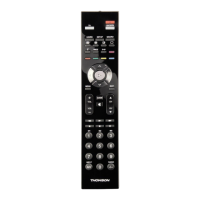
6
7
Example: if you want to control a
satellite receiver with the
DVD key, begin by entering a
satellite code (any satellite,
for example: 0603 for a Thomson
satellite receiver) then
begin the procedure.
Checking the programming:
Your product should be ready to
receive remote control commands.
Check to see that your remote
functions correctly by performing
the test described on page 9.
Method B - 4-digit codes
programming
Before you start programming, you
must fi nd the code for the product
to be controlled (television set,
satellite receiver or DVD player).
Refer to the list provided with these
instructions, on page II of the codes.
1. Turn on the product you want to
control.
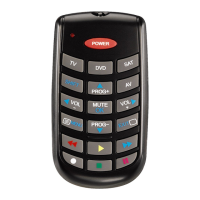
2. Hold down the SETUP (11) until
the red indicator lamp (1) remains
lit (the indicator light remains on
for a few seconds to give you the
time to proceed with the following
steps. The indicator lamp fl ashes
when this time is almost up, and
then goes off).
3. Press the product key (2) that
corresponds to the type of
product you want to control:
TV: television set, DVD: DVD
player, SAT: satellite receiver.
4. While the indicator is lit, enter
the 4-digit code proposed for
the product to be controlled
(example: 0036 for THOMSON).
The red indicator then goes off if
the code is correct or fl ashes, if
the code is not on the list.
5. Point the remote control towards
the product and try to turn it off
by pressing the POWER (12) key.
6. If the product doesn’t turn off,
repeat step 2, using the next
4-digit code in the list.Try to
turn off the product by pressing
POWER (12) key once.
Repeat this procedure until one of
the 4-digit codes works.
Checking the programming:
Your product should be ready to
receive remote control commands.
Check to see that your remote
functions correctly by performing
the test described on page 9.
Method C - Programming by
means of code retrieval
If none of the codes work, you
may still be able to retrieve the
appropriate code.
1. Turn on the product you want to
control.
2. Hold down the SETUP (11) key
until the red indicator lamp (1)
remains lit (the indicator light
remains on for a few seconds to
give you the time to proceed with
the following steps. The indicator
lamp fl ashes when this time is
almost up, and then goes off).
3. Press the product key (2) that
corresponds to the type of
product you want to control:
TV: television set, DVD: DVD
player, SAT: satellite receiver.
4. Point the remote control towards
the product and try to turn it off
by pressing the POWER (12) key.
5. If the appliance to be controlled
switches off, press the MUTE (15)
key to memorise the code.
6. If the product does not turn off,
press the POWER (12) key until
the product switches off (up to
200 times).Wait approximately
one second between key presses
to give the red indicator lamp (1)
enough time to go off and light up
again.This will allow you to see
whether the product responds
or not.
7. Immediately upon turning off the
product to be controlled, press
the MUTE (15) key to save the
code.
Note:
If you want to assign another type
of product than those mentioned
on the remote control, begin by
entering a code that corresponds to
the product you want to programme
(a 4-digit code that you will fi nd in
the code booklet – see method B).
Example: if you want to control a
satellite receiver with the DVD key,
begin by entering a satellite code
(any satellite, for example: 0603 for
a Thomson satellite receiver) then
begin the procedure.
Checking the programming:
Your product should be ready to
receive remote control commands.
Check to see that your remote
functions correctly by performing
the test described on page 9.
Method D - Automatic code
search
With this method, the remote scrolls
through the full code list by sending
an IR signal to the product to be
controlled remotely.
1. Check that your product is on. If
not, turn it on manually.
2. Hold down the SETUP (11) key
until the red indicator lamp (1)
remains lit (the indicator light
remains on for a few seconds to
give you the time to proceed with
the following steps. The indicator
lamp fl ashes when this time is
almost up, and then goes off).
3. Release the SETUP key.
4. Press the product key (2)
corresponding to the type of
product you want to control: (for
example TV).
5. Press PROG+ (14). After a few
seconds, the remote begins to
scroll through the code list at
approximately 1 code per
second. Press PROG+ (14) once
again to slow down the test
speed (1code every 3 seconds).
As soon as the product changes
channels, press the MUTE (15)
key to save the code and stop the
remote from scrolling


 To Next Page
 Loading...