DESCRIPTION OF THE PRODUCT
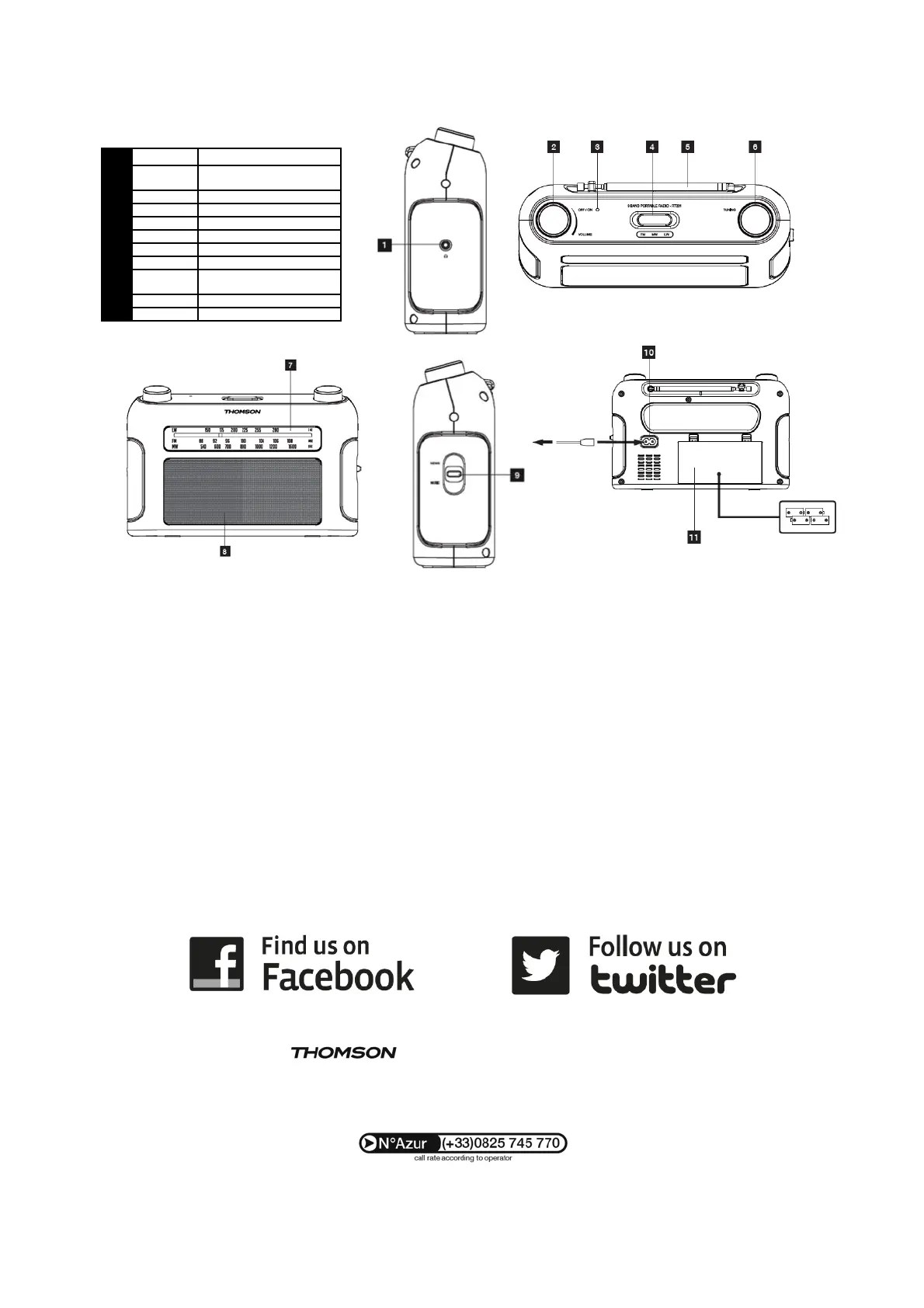
1
Headphone jack
2
VOLUME
Off/On/Volume knob
4 FM/MW/LW band selector
9
NEWS/
Tone selector
USE
POWER SUPPLY
Mains power supply
• Plug the mains power cord into the socket (10) on the backside of
the radio.
• Then plug the power cord into a mains socket.
Battery power supply
• Remove the battery compartment cover (11).
• Insert 4 LR14 1.5V batteries, ensuring that the indicated polarity is
followed.
• Put the cover back in place.
USING THE RADIO
• Turn the OFF/ON/VOLUME wheel clockwise to switch on the radio.
• Slide the band selector to FM, MW or LW to select the frequency
range.
• Search the desired radio station by turning the TUNING.
• Adjust the volume by turning the OFF/ON/VOLUME.
• Turn the OFF/ON/VOLUME wheel anti-clockwise to switch off the
radio.
To improve radio reception:
• In FM mode, extend the telescopic aerial (5). Adjust its position,
length and angle to get the best reception quality.
• In MW/LW mode, turn the whole radio to orientate the internal aerial
and get the best possible reception.
is a trademark of TECHNICOLOR S.A. used under license by:
Parsons International France - 19 Boulevard Albert Einstein
77420 Champs sur Marne - France
French time: Monday to Thursday (from 9 am to 6 pm) and Friday (9 am to 3:30 pm)
Downloaded from www.vandenborre.be


 To Next Page
 Loading...