Time setting
Press the buttons and at the same time to set the time. Press the button
to change between hour / minute / week. Press the buttons to set hour / minute /
week.
Press other buttons except the buttons / to confirm the setting or adjustment will
be confirmed automatically after 10 seconds.
Programs setting
Press the button PRG to select the program prg. In program mode, press the PRG key to
change between the "day (1-7)" and "heating mode of different time zones
(00h00-24h00)". Select the day (1-7) or the heating mode by pressing the buttons /
. When you set the "Heating of different time zones (00h00-24h00)",
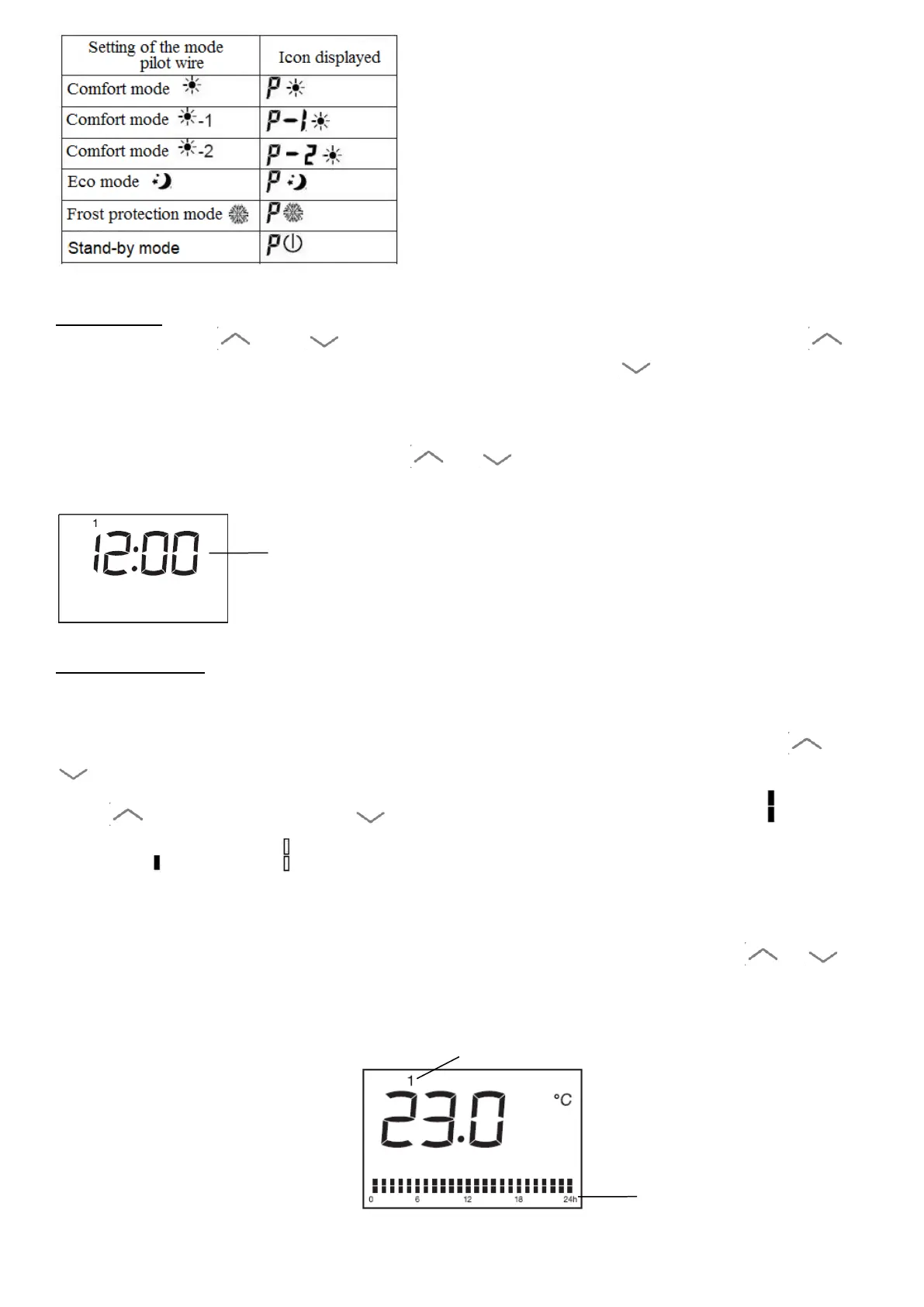
press to select the time, on to choose one of the functions: comfort ,
economy or stand by , the setting will be confirmed automatically after 30 seconds.
For example: choose day 1, temperature 23 ℃, time 12:00, Comfort mode for 24 hours:
1. Press the button PRG to select one of the program prg. In prg mode, then /
to select day 1.
GB-11


 To Next Page